
Voxel – Multi Purpose WordPress Dynamic Theme
/Year
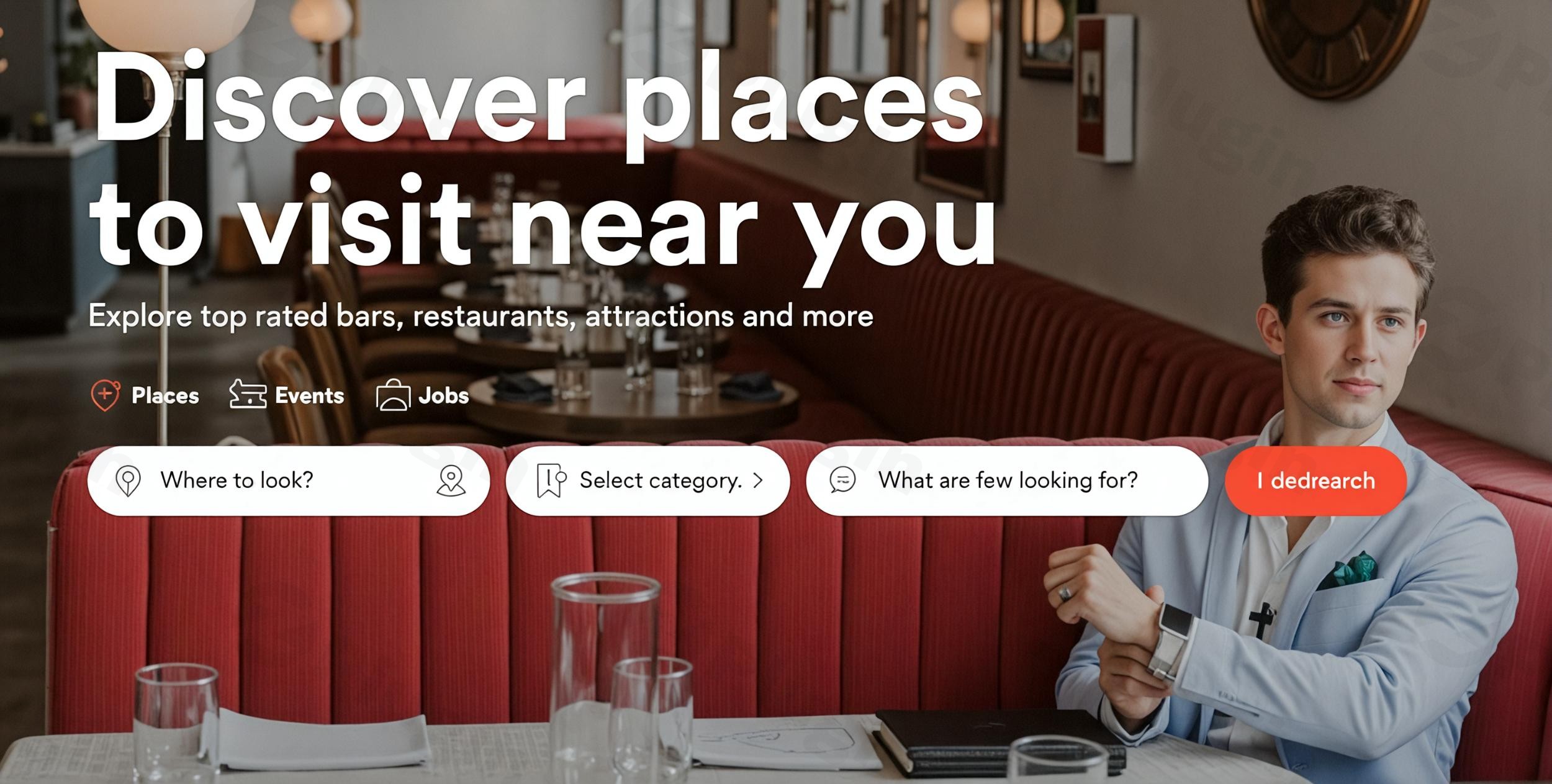
The Voxel WordPress theme revolutionizes how you build dynamic websites, empowering creators, agencies, and entrepreneurs to craft sophisticated online platforms without extensive coding. Whether you’re envisioning a bustling business directory, a robust multi-vendor marketplace, an engaging membership site, or a seamless booking system, Voxel provides an all-in-one ecosystem for turning complex ideas into interactive, data-driven realities. Designed by the reputable 27 Collective, known for the popular MyListing theme, Voxel offers unparalleled flexibility and design control, making it ideal for anyone looking to elevate their WordPress site beyond static content.
Key Features: Design, Layout & Performance
Voxel stands out with its comprehensive suite of features that provide granular control over both design and functionality, ensuring your website is not only visually stunning but also highly efficient and user-friendly.
Design & Layout Options
Voxel offers complete design control over every element, allowing you to build unique layouts that adapt dynamically to your content and user interactions. Its powerful template manager enables you to design custom layouts for almost every part of your site, including:
- Custom headers and footers that can vary across different sections of your site.
- Unique single post and archive page designs for custom post types.
- Dedicated login, registration, and membership pages.
- Custom designs for order, reservation, and multi-vendor account management interfaces.
- Social features like newsfeeds, timelines, and social wall posts.
- Informative post statistics, restricted content banners, custom popup styles, and visually appealing 404 pages.To help you get started quickly, Voxel offers demo content and starter sites during the onboarding process, including examples for business directories and booking platforms. These pre-built options serve as an excellent foundation, allowing you to import a complete site structure and customize it to your brand’s specifications.
Customization Capabilities
Voxel’’s integration with Elementor, combined with its native dynamic features, provides a highly intuitive customization experience. While specific typography controls (e.g., extensive Google Fonts integration) were not explicitly detailed in the provided information, the theme supports broad design control.
- Color Schemes & Style Kits: Voxel mentions “style kits” for managing UI elements, suggesting an organized approach to global styling, allowing you to effortlessly maintain consistent branding across your site.
- Elementor Integration: Seamlessly integrated with the free version of Elementor, Voxel enhances the drag-and-drop builder with specialized widgets and powerful dynamic tags. This combination allows you to design visually while connecting elements directly to your database content, creating truly dynamic data-driven templates.
- Custom Post Types Made Simple: A core strength is the ability to create and manage unlimited custom post types with full control over fields, filters, and individual templates. This is perfect for directories, listings, or any content-heavy site that requires unique data structures.
Performance & SEO Features
Voxel is engineered for performance, which is a critical factor for both user experience and search engine rankings. It’s highlighted for its “performance that stands out” and “superior performance” due to its integrated framework. By consolidating many functionalities that typically require multiple third-party plugins into its core, Voxel significantly reduces overhead, leading to a leaner and faster website.While specific SEO features like built-in schema markup were not explicitly detailed, its focus on clean markup and structured content (through custom post types and taxonomies) inherently provides an SEO-friendly foundation. As a modern WordPress theme, it is built to be fully mobile-responsive and cross-browser compatible, ensuring an optimal viewing experience across all devices and platforms, which is crucial for SEO and user engagement.
Installation & Demo Import
Getting started with Voxel is a straightforward process designed to get your dynamic site up and running quickly.
- Install & Activate the Theme:
- Log in to your WordPress dashboard.
- Navigate to
Appearance > Themes > Add New > Upload Theme. - Choose the Voxel theme
.zipfile you downloaded and clickInstall Now. - Once installed, click
Activate.
- Install Required Companion Plugins:
- Upon activation, Voxel will prompt you to install and activate any necessary plugins. Crucially, Voxel relies heavily on the free version of Elementor, which it enhances with its own dynamic capabilities. Follow the on-screen prompts to install and activate this and any other recommended plugins.
- Use the Theme’s Setup Wizard & Demo Import:
- Voxel typically includes a setup wizard that guides you through the initial configuration steps. This is where you’ll find the option for demo content import.
- Select the demo that best matches your website’s purpose (e.g., business directory, booking platform) and initiate the import.
- What to Expect During/After Demo Import:
- The demo import process will typically populate your site with pre-designed pages, posts, custom post types, menus, and widgets, replicating the demo site’s structure.
- Common Pitfalls: Large demo imports can be resource-intensive. Ensure your hosting environment meets the theme’s requirements, particularly for PHP memory limits (a minimum of 64MB, but higher is recommended for smoother imports and operation) and PHP execution timeouts, to prevent incomplete imports. If an import fails or doesn’t look as expected, check your server logs or contact your host/Voxel support.
Customization Guide: Branding & Layout
Voxel makes personalizing your website to match your brand intuitive, primarily through its deep integration with Elementor and its native theme options.
- Leveraging Elementor for Design:
- Most of your layout and page design will happen within the Elementor interface. After installing a demo, you can navigate to any page and click “Edit with Elementor” to begin customizing.
- Voxel provides a suite of specialized Elementor widgets and dynamic tags that allow you to pull data directly from your custom post types and fields, enabling you to design highly personalized and dynamic content sections.
- Changing Colors, Fonts, and Logos:
- Look for global styling options within the Voxel theme settings or Elementor’s Site Settings. Voxel’s “style kits” are likely where you’ll define your primary color palette.
- You can typically upload your brand logo via the WordPress Customizer (
Appearance > Customize) or specific theme options panels. - While specific typography controls weren’t detailed, you’ll generally find options to set global fonts for headings and body text within Elementor’s Site Settings, ensuring brand consistency.
- Setting Up Homepage, Blog Page, and Menus:
- Homepage: After importing a demo, one of the demo pages will likely be set as your homepage. You can change this via
Settings > Readingin your WordPress dashboard, selecting a static page. - Blog Page: Similarly, you can designate a page as your posts page. Voxel’s template manager allows you to design custom archive layouts for your blog posts.
- Menus: Navigate to
Appearance > Menusto set up and manage your primary navigation, footer menus, and any other menu locations provided by the theme. Voxel’s template manager can also be used to design custom header and footer templates where these menus will appear.The customization experience in Voxel is designed to be highly visual and “no-code,” abstracting much of the underlying complexity. Its dynamic tags and conditional logic system empower you to create sophisticated user experiences without writing a single line of code, allowing you to truly make the theme your own.
- Homepage: After importing a demo, one of the demo pages will likely be set as your homepage. You can change this via
FAQ & Troubleshooting
Here are answers to some common questions about the Voxel WordPress theme:
Is Voxel compatible with Elementor / WPBakery / Gutenberg?
Voxel is deeply integrated with and primarily relies on the free version of Elementor as its visual page builder. It enhances Elementor with specialized widgets and dynamic tags to facilitate dynamic content creation. While it focuses on Elementor, the developers have indicated that support for other page builders might be considered in the future. Its compatibility with the WordPress Block Editor (Gutenberg) is not explicitly detailed but its primary workflow is Elementor-centric.
Does Voxel support WooCommerce for online stores?
Voxel aims to be an all-in-one solution and features its own native payment system that supports one-time transactions and subscriptions, reducing reliance on WooCommerce for certain functionalities like multi-vendor sales, bookings, and memberships. It allows any WordPress post to be transformed into a product for selling, booking, or subscribing. Currently, it supports Stripe and Paddle as payment gateways, with plans to add more. While it can replace some WooCommerce functionalities, users should be aware of this distinction.
Does Voxel support child themes?
Yes, Voxel supports child themes. Using a child theme is highly recommended for any custom code or modifications you wish to make, as it ensures that your customizations are not overwritten when you update the main Voxel theme.
How can I update the Voxel theme without losing my customizations?
To update Voxel without losing customizations, you should always use a child theme for any custom code, CSS, or template overrides. Ensure you have a valid license key activated for automatic updates. When an update is available, you will typically see a notification in your WordPress dashboard. Before updating, it’s always best practice to create a full backup of your website.
What should I do if the Voxel demo import fails or looks different from the demo site?
If your Voxel demo import fails or doesn’t match the live demo, first check your server’s PHP version (ensure it’s 8.1 or higher) and memory limit (64MB or higher), as large imports can time out on under-resourced servers. Deactivate any caching plugins (like Litespeed Cache) during the import, as they can sometimes interfere. If issues persist, check your server error logs or consult Voxel’s official documentation and support channels for specific troubleshooting steps.
Conclusion
The Voxel WordPress theme stands as a powerful, all-in-one solution for anyone serious about building dynamic, feature-rich websites. Its strength lies in combining an intuitive visual building experience with Elementor and robust, native capabilities for dynamic content management, custom post types, memberships, multi-vendor marketplaces, and booking systems. This integrated approach significantly reduces the need for numerous third-party plugins, leading to a more performant, stable, and cohesive website.With its extensive design flexibility, superior performance optimizations, and the backing of a reputable development team (27 Collective), Voxel is an excellent choice for agencies, freelancers, store owners, and entrepreneurs who need to build complex directory, listing, booking, or membership platforms without diving deep into custom code. While there might be a slight learning curve due to its advanced features, the long-term benefits of an integrated, powerful, and highly customizable dynamic content builder like Voxel often outweigh the initial investment, making it a truly future-proof solution for modern WordPress sites.
I. Download Limits & Account Benefits
- Free Downloads: Each email address receives 3 downloads per day for free products
- Upgrade Benefits: Purchase any paid product to increase your daily download limit by 3 for each paid product
- No Account Required: You can download immediately by receiving the download link via email
- Account Recommended: Create an account for easier access to your order history and direct update downloads
II. Understanding GPL vs Official Versions
Important: The products available on WPPick are GPL-licensed versions, which differ from official developer versions. Before purchasing, please read our comprehensive guide: Understanding GPL & Official Differences at WPPick
Key Points:
- GPL versions may not include premium support from original developers
- Updates may be delayed compared to official releases
- Some premium features might have limitations
- Always consider your specific needs and support requirements
III. Support & Assistance
We’re here to help through multiple channels:
- Email Support: Direct email assistance for all inquiries
- Live Chat: Real-time support during business hours
- Comprehensive Documentation: Detailed guides and tutorials
IV. Order Tracking
Access your complete purchase history and download links anytime: Order History
V. Account Access
New to WPPick? Login or Create Account to manage your downloads and orders efficiently.
VI. Refund Protection
We stand behind our products with a clear refund policy. Review our terms: Refund Policy
VII. Privacy & Security
Your data security is our priority. Learn how we protect your information: Privacy Policy
VII. Terms of Service
Understanding our service terms ensures a smooth experience: Terms of Use
Quick Tips for Best Experience
- Verify Compatibility: Check plugin/theme compatibility with your WordPress version
- Backup First: Always backup your site before installing new plugins or themes
- Test Environment: Consider testing on a staging site first
- Stay Updated: Regularly check for updates in your account dashboard
- Read Documentation: Review any included documentation for optimal setup
Need Help?
If you have questions about downloads, licensing, or need technical assistance, don’t hesitate to contact our support team. We’re committed to ensuring you have the best possible experience with WPPick products.
Ready to get started? Your download adventure begins with just one click!
- Added support for Elementor v4 atomic elements: Dynamic tags, Visibility rules, Loop element.
- Elementor: Added “Dynamic styles (VX)” section to set custom element classes, CSS rules, and attributes using dynamic tags.
- Added “Upgrade plan” action on Actions (VX) widget to upgrade the subscription of existing posts. Subscription can also be upgraded on Order page. Proration applies when upgrading.
- Added rate limiting settings for Direct Messages: Minimum time between messages, Maximum messages allowed in an hour, Maximum messages allowed in a day, Maximum new conversations per day, Minimum account age.
- Map (VX) widget: Added “Gesture handling” setting with support for Greedy and Cooperative modes. Greedy mode: Map responds to all scroll and touch gestures directly. Cooperative mode: requires Ctrl+scroll to zoom and two-finger drag on mobile, preventing the map from hijacking page scroll.
- OpenStreetMap: Added Fullscreen control to maps.
- Templates: Voxel theme builder templates are now set unique template types: Header (VX), Footer (VX), Single post (VX), Archive (VX), Preview card (VX), Single term (VX).
- Templates: Auto migration will trigger upon install to assign right template types to existing templates, no manual action needed.
- Templates: More user friendly names are now set by default when creating a voxel template e.g “Places: Preview card”.
- Fixed Taxonomy overrides testing.
- Timeline: Added Pin to the top functionality for Current Author Timeline, Current Post Wall, Current Post Timeline modes
- Keywords filter: Added support for First name, Last name, and Bio profile fields
- Membership plan dynamic data: Added “Current period start” and “Current period end”
- Added: https://getvoxel.io/questions/product-form-stepper-number-color/
- Added: https://getvoxel.io/questions/request-typography-controls-for-products-base-price-and-min-price/
- YoastSEO: You can now use Voxel dynamic tags in direct format e.g @post(title) instead of wrapped format e.g vx(@post(title)). Although both formats are valid to maintain backwards compatibility
- Orders widget: When possible, use personalised order title e.g “Customer bought a listing plan” instead of generic “Placed new order”. Generic title is still used when this is not suitable
- Create Post widget:The form submission messages can be now customised on widget basis, so you can add personalised ones based on the post type
- When saved as draft
- When submitted for review
- When published
- When edits submitted for review
- When edits applied
- Claim listing: When buying a new listing plan during claim listing process, customer is redirected to claim order instead of listing plan order
- YoastSEO: Fixed issue with dynamic tags not rendering
- Fixed: https://getvoxel.io/questions/proximity-filter-sorting-not-working-in-specific-regions-f-e-new-zealand/
- Fixed: https://getvoxel.io/questions/search-form-changes-should-not-impact-custom-query-parameters/
- Fixed: https://getvoxel.io/questions/pre-fill-url-query-parameter-w-listing-plans/
- Fixed: https://getvoxel.io/questions/2fa-problem/
- Fixed: https://getvoxel.io/questions/term-feed-widget-triggers-_get_non_cached_ids-strict-type-notice-wp-6-3/
- Fixed: https://getvoxel.io/questions/php-8-1-deprecation-strtolower/
- Developers:
- Added `voxel/timeline/status/time-for-display` filter to customize timeline status date format
- Added `voxel/timeline/reply/time-for-display` filter to customize timeline reply date format
- Added `voxel/media-library/files-per-page` filter to customize number of files loaded on media library popup
- Added `voxel/post-relations/posts-per-page` filter to customize number of posts in the post relation field popup
- Variable products: Added support for defining variations manually. Allows for only creating variations for a subset of attribute combinations (instead of auto-generating every combination). Manual variations can have one or more attributes set to “Any” (instead of always requiring a specific value).
- Booking products: Added support for “Downloads” module. Allows for automatically sharing files & documents with customers once booking is confirmed.
- Tweak: Added dynamic tags for numeric addons – Label, Price, Min and Max quantity (Product field).
- Fix: Image lazy-loading attributes not applied to search results loaded via AJAX.
- Fixed https://getvoxel.io/questions/fatal-error-in-notifications-when-claim-order-is-deleted/
- Fixed https://getvoxel.io/questions/map-vx-widget-cant-load-the-osm/
- Fixed https://getvoxel.io/questions/osm-not-working-for-subscribers-and-logged-out/
- Fixed https://getvoxel.io/questions/issue-with-user-mentions-in-third-level-comment-replies/
- For full release details, including changes for versions 1.7.1.1, 1.7.1, 1.7.0.4, 1.7.0.3, 1.7.0.2, and 1.7.0.1, please refer to the official changelog.
- For full release details, see the official changelog: Voxel 1.7.x changelog
- Authenticator (2FA) integration: Secure account with 2FA authenticator apps.
- Provide verification code during login.
- Trust Device (1 month expiration)
- Backup codes
- Paid listings: Improved claim listing flow for guest users
- Added support for relisting Rejected posts
- Option to set icon color separately from text (Button widget)
- Added: Renewal date in WP Admin > Paid Members > Members table and in Current plan (VX) widget
- Added: New visibility rule "User has bought product type"
- Added: Support for pulling taxonomy key, name, plural name (Term dynamic data)
- Fixed: Prefill values not applied during post submission
- Fixed: PHP error in WP Admin > Paid Listings > Assigned Plans
- Fixed: Issue with Mapbox address search
- Fixed: https://getvoxel.io/questions/show-discount/
- Fixed: https://getvoxel.io/questions/google-address-autocomplete-dropdown-not-clickable-in-front-end-forms/
- Fixed: https://getvoxel.io/questions/link-in-chaim/
- Fixed: https://getvoxel.io/questions/promotion-vat-is-not-excluded-in-stripe-checkout/
- Fixed: https://getvoxel.io/questions/search-and-suffix-button-overlap-on-mobile/
- Fixed: https://getvoxel.io/questions/google-maps-search-autocomplete-not-working-with-addresses/
- Fixed: https://getvoxel.io/questions/listing-plan-redirect-requires-2-steps-2-clicks/
- Fixed create post not redirecting issue
- Fixed adaptive display filter with latest theme version
- Fixed product not available on paid members plan
- Fixed language setting for Mapbox base map
- Fixed listing plan widget plan name price misalignment
- Fixed Google Maps loading Roboto, Google Sans fonts on its own
- Fixed cannot unset 0 discount price (promotions, paid listing plans, ...)
- Added "Fallback redirect URL" setting to Listing Plans (VX) widget
- Added "Restore slot upon deletion" option for subscription based listing plans
- Added collection settings to define limits in WP Admin > Voxel > Settings > Collections
- When a post is submitted while moderation is enabled (status is "Pending"), if the status is changed from Pending to Rejected, or the post is trashed, the slot is restored automatically
- See changelog for details
- See full changelog at: Changelog - docs.getvoxel.io
- For detailed changelog information, please visit the official changelog