

Wealthco – Business & Financial Consulting Theme
/Year
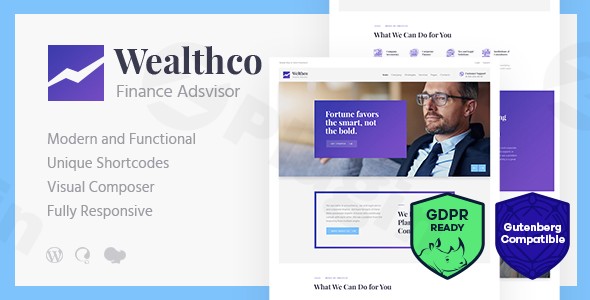
The digital landscape for financial services demands a website that exudes professionalism, trustworthiness, and clear communication. The WealthCo WordPress theme steps up as a sophisticated and multi-purpose solution, specifically engineered for modern business and financial consulting services. This review and setup guide will delve into what makes WealthCo an exceptional choice for financial advisors, investment bankers, tax consultants, and corporate strategists looking to establish a robust and visually engaging online presence.
Introduction: Designed for Financial Professionalism
WealthCo is a state-of-the-art WordPress theme meticulously crafted for the demanding financial and business consulting sector. It provides an elegant, clean, and trendy design, catering to the sophisticated needs of corporate and individual financial professionals. From investment advisory firms to accounting agencies, WealthCo offers a ready-made platform to showcase expertise, build credibility, and connect with clients. Its design philosophy centers on a professional aesthetic, ensuring your financial services are presented with clarity and authority, making it an ideal WordPress theme for financial advisors and a strong contender for any financial consulting business.
Key Features: Design, Layout & Performance for Your Financial Business
WealthCo is packed with features designed to provide both aesthetic appeal and robust functionality for your financial services website.
Design & Layout Options
WealthCo offers a comprehensive suite of design and layout capabilities tailored for a professional look:
- Responsive and Mobile-Friendly Design: Critical for today’s diverse user base, WealthCo boasts a 100% responsive and mobile-friendly design. This means your site will look impeccable and function flawlessly on any device, from desktops to smartphones, ensuring a superior user experience.
- Flexible Layouts: The theme supports both boxed and full-width page layouts, giving you control over the overall aesthetic. For content, it includes multiple blog layouts perfect for sharing financial insights and news.
- Pre-made Templates: To accelerate your website launch, WealthCo comes equipped with numerous ready-made pages. These include:
- Professional price tables for clearly outlining your service packages.
- Premade service templates to detail your offerings like financial planning, tax assistance, or wealth management.
- Dedicated sections for team member and testimonial management, crucial for building trust and showcasing your firm’s expertise.
- Gallery management for presenting case studies or firm achievements.
- Premium Visual Elements: WealthCo integrates premium plugins like Slider Revolution and Swiper Slider for creating dynamic and engaging content presentations. It also supports Retina images for crisp visuals on high-resolution displays and features an interactive Ajax search for quick content discovery.
Customization Capabilities
Personalizing WealthCo to align with your brand is straightforward and intuitive:
- Intuitive Theme Options: The theme includes intuitive theme options and settings, enabling extensive customization without requiring coding knowledge. Its “Powerful Theme Framework” provides over 750 customizer options, offering deep control over every aspect of your site.
- Color Schemes & Typography: With flexible color options, you can effortlessly match your corporate branding. The theme leverages Google Fonts for a diverse range of typography choices, allowing you to fine-tune your site’s visual voice.
- Header and Footer Customization: You have the flexibility to customize your header and footer layouts, leveraging the power of the Elementor Page Builder for drag-and-drop design.
Performance & SEO Features
WealthCo is engineered for optimal performance and search engine visibility:
- Optimized for Performance: The theme is explicitly “Optimized for best performance.” It includes features like adaptive images, which load appropriate image sizes based on the user’s device, significantly contributing to faster loading times and improved user experience, especially on mobile.
- SEO-Ready Structure: While specific schema support is not detailed in the source, a professional WordPress theme like WealthCo is built with a clean HTML5 and CSS3 code structure, which is fundamental for good SEO. Its responsive design also positively impacts mobile SEO rankings.
- Cross-Browser Compatibility: WealthCo ensures a consistent experience across major web browsers, including Firefox, Safari, Chrome, and Edge.
Installation & Demo Import: Getting Started with WealthCo
Setting up your WealthCo website is designed to be a smooth process, even for users with limited technical experience.
Step-by-Step Installation:
- Install & Activate the Theme:
- Log in to your WordPress dashboard.
- Navigate to
Appearance > Themes > Add New > Upload Theme. - Upload the
wealthco.ziptheme file you downloaded. - Click
Install Now, thenActivate.
- Install Required Companion Plugins:
- Upon theme activation, you’ll see a notification prompting you to install required plugins. WealthCo relies on ThemeREX Addons for its core functionality and extensive customization options. It is also built primarily with Elementor Page Builder, which will likely be a required installation.
- Install and activate all recommended plugins, including Revolution Slider, Swiper Slider, Contact Form 7, MailChimp, and WooCommerce if you plan to use e-commerce features.
- One-Click Demo Import:
- WealthCo features a one-click demo installation process. This is the quickest way to get your site looking like the theme’s live demo, complete with pre-made pages, content, and settings.
- Navigate to the theme’s demo import section (often found under
Appearance > Import Demo Dataor a dedicated theme panel). - Select the demo you wish to import and proceed.
What to Expect During/After Demo Import:
- Server Requirements: For a successful demo import, especially with larger demos, your server needs adequate resources. It is recommended to configure your PHP limits as follows:
max_execution_time 600,memory_limit 128M,post_max_size 32M, andupload_max_filesize 32M. If your demo import fails or times out, these settings are often the culprit. - Content & Structure: After a successful import, your website will be populated with demo content, including pages, posts, menus, widgets, and theme options configured as shown in the demo. You’ll then replace this placeholder content with your own.
- Menus: Imported demos usually come with pre-configured menus. You may need to assign these to your primary navigation locations under
Appearance > Menus. - Homepage Setting: The demo import typically sets a static homepage. Verify this under
Settings > Reading.
Customization Guide: Branding Your Financial Consulting Website
WealthCo makes branding your financial consulting website both flexible and intuitive, allowing you to tailor every aspect to your firm’s identity.
Using the WordPress Customizer and Theme Options:
- Global Styles: WealthCo integrates a “Powerful Theme Framework” with over 750 Customizer Options, accessible via
Appearance > Customize. This is your central hub for adjusting global styles. - Colors & Typography: Easily change your site’s primary and accent colors, link colors, and background colors to match your brand palette. Select from a wide array of Google Fonts for headings and body text, controlling font sizes, weights, and line heights.
- Logo & Favicon: Upload your company logo and favicon through the Customizer to instantly brand your site.
- Header & Footer Layouts: Beyond global settings, you can customize your header and footer using Elementor Page Builder. This gives you drag-and-drop control over elements like navigation menus, contact information, social media links, and custom content blocks.
Setting Up Your Website Structure:
- Homepage: After demo import, your homepage will be a static page. You can customize this page using Elementor or choose a different page to be your homepage under
Settings > Reading. - Blog Page: Create a dedicated page for your blog posts (e.g., “Insights” or “Financial News”) and assign it under
Settings > Reading. WealthCo offers multiple blog layouts to present your content engagingly. - Menus: Navigate to
Appearance > Menusto create and manage your primary navigation, footer menus, and any other custom menus.
Advanced Customization:
- Custom Post Types: WealthCo includes specific custom post types for managing your Team Members, Testimonials, Services, and Galleries. This keeps your specialized content organized and easy to update.
- Child Themes: For any custom CSS, JavaScript, or template modifications, it’s highly recommended to activate a child theme. This ensures that your customizations are preserved when you update the main WealthCo theme, preventing loss of your bespoke design elements.
FAQ & Troubleshooting: Your WealthCo Questions Answered
Here are answers to common questions about the WealthCo WordPress theme, designed to be clear and helpful for both new and experienced users.
Is WealthCo compatible with Elementor / WPBakery / Gutenberg?
Yes, WealthCo is primarily built with and fully supports the Elementor Page Builder, offering seamless drag-and-drop customization for pages, headers, and footers. It is also compatible with the native WordPress Block Editor (Gutenberg) and older versions did support WPBakery Page Builder.
Does WealthCo support WooCommerce for online stores?
Yes, WealthCo is fully compatible with WooCommerce, allowing you to set up an online store to sell financial products, services, courses, or digital assets directly from your website. This makes it a robust WooCommerce financial theme solution.
Does WealthCo support child themes?
Yes, WealthCo strongly supports child themes. It is highly recommended to activate a child theme if you plan to make any modifications to the theme’s templates or functions. This ensures that your customizations are safe and will not be overwritten during future theme updates.
Is WealthCo theme SEO friendly?
Yes, WealthCo is designed with SEO best practices in mind. It boasts a responsive and mobile-friendly design, optimized for best performance with features like adaptive images for faster loading times. Its clean code structure also contributes positively to search engine indexing.
How can I update the theme without losing my customizations?
To update the WealthCo theme without losing your customizations, you should always use a child theme for any modifications. If you have made changes directly to the parent theme files, they will be lost upon update. ThemeREX provides regular updates to ensure compatibility and security.
What should I do if the demo import fails or looks different from the demo site?
If the WealthCo demo import fails or doesn’t look like the live demo, first check your server’s PHP configuration limits. Ensure max_execution_time is at least 600, memory_limit is 128M or higher, and post_max_size and upload_max_filesize are at least 32M. Insufficient server resources are the most common cause of demo import issues. Also, ensure all required plugins are installed and activated before importing.
Conclusion: Why WealthCo is the Right Investment for Your Financial Business
The WealthCo Business & Financial Consulting WordPress Theme stands out as a premier choice for professionals and firms in the financial sector. Its sophisticated design, coupled with extensive customization options and robust performance features, makes it a powerful platform for building a credible and high-converting website.WealthCo offers significant design flexibility with its responsive layouts, pre-made templates for services and team members, and integration with premium sliders. The customization options are comprehensive, from global styles to granular control over headers and footers via Elementor, empowering users to truly brand their site without code. Furthermore, its focus on performance and SEO readiness, including mobile-friendliness and optimized code, ensures your site will perform well in traditional and AI search engines.This theme is ideally suited for a wide range of users, including financial advisors, accounting firms, investment bankers, business coaches, financial bloggers, and corporate consulting firms. Whether you’re a freelancer looking for a professional portfolio or an agency building sites for clients, WealthCo’s ease of use—thanks to one-click demo import and Elementor integration—makes it accessible for beginners, while its robust framework and child theme support cater to advanced developers.In conclusion, WealthCo is a solid investment for any financial business seeking a professional, feature-rich, and easily customizable online presence. Its specialized design and comprehensive toolset make it a top-tier WordPress theme for financial advisors and a strong contender for the “best WordPress theme for accounting firms” and other related niches.
I. Download Limits & Account Benefits
- Free Downloads: Each email address receives 3 downloads per day for free products
- Upgrade Benefits: Purchase any paid product to increase your daily download limit by 3 for each paid product
- No Account Required: You can download immediately by receiving the download link via email
- Account Recommended: Create an account for easier access to your order history and direct update downloads
II. Understanding GPL vs Official Versions
Important: The products available on WPPick are GPL-licensed versions, which differ from official developer versions. Before purchasing, please read our comprehensive guide: Understanding GPL & Official Differences at WPPick
Key Points:
- GPL versions may not include premium support from original developers
- Updates may be delayed compared to official releases
- Some premium features might have limitations
- Always consider your specific needs and support requirements
III. Support & Assistance
We’re here to help through multiple channels:
- Email Support: Direct email assistance for all inquiries
- Live Chat: Real-time support during business hours
- Comprehensive Documentation: Detailed guides and tutorials
IV. Order Tracking
Access your complete purchase history and download links anytime: Order History
V. Account Access
New to WPPick? Login or Create Account to manage your downloads and orders efficiently.
VI. Refund Protection
We stand behind our products with a clear refund policy. Review our terms: Refund Policy
VII. Privacy & Security
Your data security is our priority. Learn how we protect your information: Privacy Policy
VII. Terms of Service
Understanding our service terms ensures a smooth experience: Terms of Use
Quick Tips for Best Experience
- Verify Compatibility: Check plugin/theme compatibility with your WordPress version
- Backup First: Always backup your site before installing new plugins or themes
- Test Environment: Consider testing on a staging site first
- Stay Updated: Regularly check for updates in your account dashboard
- Read Documentation: Review any included documentation for optimal setup
Need Help?
If you have questions about downloads, licensing, or need technical assistance, don’t hesitate to contact our support team. We’re committed to ensuring you have the best possible experience with WPPick products.
Ready to get started? Your download adventure begins with just one click!
- AI Helper: option to choose the API version for Open AI Assistants
- AI Helper: parameter 'output_tokens' for text models
- Styling parameters for divider in Images Compare shortcode
- Roles and capabilities reset when switching to another skin
- Customization options for the submenus in the Menu Editor
- CSSPHP fixes (shortcodes and layouts)
- Updated: QW Extension addon (to version 1.5.0)
- Updated: "Background Text" (marquee) now uses the heading font family by default
- AI Helper Chat: title styles
- Dark/Light Switcher script
- Animation for dropdown menus
- Autoscroll for Swiper Slider v8
- Script for the video inserted as a link in the popup
- Compatibility with Elementor plugin: widget "Spacer" when its "Size" equals 0 or is not defined
- Compatibility with Elementor plugin: priorities for basic classes registration in action 'elementor/init'
- Compatibility with Elementor plugin: removing duplicate attributes loading="xxx" and decoding="xxx" for tag <img /> with Image Effects
- Compatibility with Elementor plugin: elementor-editor.js script for post search
- Compatibility with Elementor plugin: Global Colors Preview styles
- Compatibility with WPML plugin: icl_get_languages() replaced with filter "wpml_active_languages"
- Compatibility with WPML plugin: added wpml-config.xml file
- Compatibility with The Events Calendar plugin: category name, tags and breadcrumbs on the listing pages
- Removed: WP GDPR Compliance plugin (Cookie Information | Free WP GDPR Consent Plugin)