
Wedding Planner – Responsive WordPress Theme
/Year
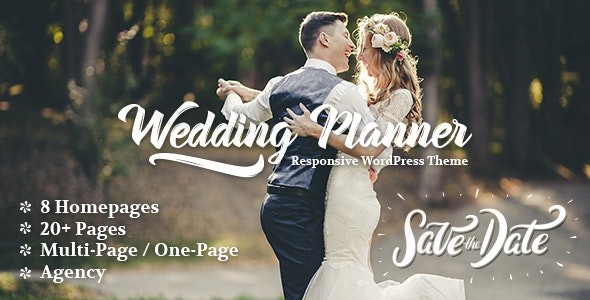
The Wedding Planner WordPress Theme is an elegantly crafted and highly functional solution designed specifically for the romantic and intricate world of wedding planning and event management. Whether you’re a seasoned wedding coordinator, a photographer showcasing your portfolio, an event venue, or even a couple looking to create a beautiful personal wedding website, this theme offers a professional and aesthetically pleasing online platform. Its core design philosophy revolves around delivering a modern, creative, and neat user experience, ensuring your website makes a lasting impression.
Key Features: Design, Layout & Performance
The Wedding Planner theme empowers users to build stunning websites with a focus on visual appeal and robust functionality, perfect for the wedding niche.
Design & Layout Options
The theme provides a versatile canvas for your wedding business. You’ll find:
- Customizable Homepage: A unique design with multiple sections allows you to tell your story, showcase services, and highlight client testimonials effectively.
- Multiple Page Layouts: Options for sidebars, captivating galleries, and distinct designs for single posts, pages, and blog/search results ensure every part of your site looks cohesive and professional.
- Unique Blog Styles: Present your wedding insights, tips, and inspiration with engaging blog layouts that keep readers captivated.
- Flexible Header and Footer Layouts: Choose from different top bars, header styles, and footer options to perfectly frame your content and brand identity.
- Prebuilt Templates/Starter Sites: Get a head start with demo content and pre-designed templates, allowing for rapid website setup and an instant professional look.
Customization Capabilities
Personalizing your website to reflect your brand’s unique charm is straightforward with the Wedding Planner theme:
- Advanced Color Options: Dive into unlimited color palettes to match your brand’s aesthetic or client’s wedding themes.
- Extensive Typography: With over 100 font family options and integrated Google Fonts, you can perfectly convey the tone and style of your brand.
- Granular Control: While specific granular details on spacing are not explicitly highlighted, the customizable homepage implies significant flexibility in structuring content and visual flow. Background image options further enhance design freedom.
- Modern Visual Elements: The theme incorporates features like parallax effects and smooth animations, contributing to its “modern, elegant, and creative” design philosophy, ensuring a polished, world-class aesthetic.
Performance & SEO Features
A beautiful website is only effective if it’s found and loads quickly. The Wedding Planner theme is built with this in mind:
- Lightweight & Fast Loading: Described as “lightweight,” the theme prioritizes fast page speeds, crucial for user experience and SEO.
- SEO-Friendly Coding: Designed with clean, optimized code to help improve your website’s search engine ranking and visibility.
- Full Mobile Responsiveness: Your site will look stunning and function flawlessly on any device – desktops, tablets, and smartphones – ensuring an optimal viewing experience for all potential clients.
- Cross-Browser Compatibility: Rest assured your website will perform consistently across modern browsers like Chrome, Firefox, Safari, Edge, and IE11.
Installation & Demo Import
Getting your Wedding Planner theme up and running is a streamlined process, even for beginners. Here’s a general guide:
- Install & Activate the Theme:
- From your WordPress dashboard, navigate to
Appearance > Themes > Add New. - Search for “Wedding Planner” (if using the free version from WordPress.org) or upload the theme ZIP file (for premium versions).
- Click “Install Now” and then “Activate.”
- Technical Requirements: The theme generally requires WordPress version 5.1 or later and a minimum PHP version of 5.6. For optimal performance and security, it’s recommended to use the latest stable versions of WordPress and PHP (e.g., PHP 8.1 or 8.2), which the premium version often supports.
- From your WordPress dashboard, navigate to
- Install Required Companion Plugins:
- Upon activation, the theme will likely prompt you to install recommended or required plugins. These often include tools for demo import, page builders (like WPBakery or Elementor), and contact forms (e.g., Contact Form 7). Follow the on-screen instructions to install and activate these.
- Use One-Click Demo Import:
- Locate the demo import option, usually found under
Appearance > Import Demo Dataor within a dedicated “Theme Options” panel. - Select the demo that best suits your vision and initiate the import.
- Tip: Demo imports can be resource-intensive. Ensure your hosting environment has sufficient memory (PHP memory limit) and execution time to prevent timeouts, especially for larger demos.
- Locate the demo import option, usually found under
- What to Expect Post-Import:
- After a successful demo import, your site will largely resemble the live demo. This includes pre-designed pages, posts, widgets, and menus.
- You’ll need to go to
Appearance > Menusto assign your newly imported menu(s) to the correct locations andSettings > Readingto set your homepage and blog page.
Customization Guide (Branding & Layout)
Transforming the Wedding Planner theme into your unique brand experience is intuitive, primarily using the WordPress Customizer.
- WordPress Customizer / Global Styles: Access the Customizer via
Appearance > Customize. This live-preview interface allows you to:- Upload Your Logo & Favicon: Easily brand your site.
- Adjust Colors: Utilize the advanced color options to select unlimited color schemes for various elements, ensuring brand consistency.
- Manage Typography: Choose from over 100 font families, integrated with Google Fonts, to define your site’s textual aesthetic.
- Configure Header & Footer Layouts: Select from different predefined styles and customize their content, including contact information and social media links.
- Set Up Your Homepage & Blog Page: Designate which static page serves as your homepage and which page displays your blog posts.
- Leverage Page Builder Integration:
- With compatibility for popular drag-and-drop page builders like Elementor and WPBakery Page Builder, you gain immense control over individual page layouts. You can intuitively drag and drop elements, customize sections, and create unique designs without touching a line of code.
- The “Wedding Planner Blocks Theme” also highlights strong support for the Gutenberg Block Editor, enabling you to build content with customizable blocks and patterns.
- Menus & Widget Areas: Easily create and assign navigation menus in
Appearance > Menus. Utilize multiple widget areas, including dedicated footer sections, to add dynamic content like contact forms, social feeds, or recent posts.The overall customization experience is designed for users without coding knowledge, making it an excellent choice for wedding planners and event organizers who want professional results with minimal fuss.
FAQ & Troubleshooting
Here are answers to common questions about the Wedding Planner WordPress Theme:
Is Wedding Planner – Responsive WordPress Theme good for e-commerce?
Yes, the Wedding Planner theme offers full compatibility with WooCommerce, making it an excellent choice for e-commerce. You can seamlessly set up an online store to sell wedding-related products, services, or packages directly from your website.
How to customize the homepage in Wedding Planner theme?
To customize the homepage in the Wedding Planner theme, navigate to Appearance > Customize in your WordPress dashboard. Here, you can adjust various sections, colors, typography, and layout options in real-time. Additionally, if the theme is integrated with a page builder like Elementor or WPBakery, you can use its drag-and-drop interface to design and modify your homepage content and structure.
Is the Wedding Planner theme compatible with popular page builders like Elementor or WPBakery?
Yes, the Wedding Planner theme is often compatible with popular drag-and-drop page builders, including WPBakery Page Builder and Elementor. This integration provides extensive flexibility for designing custom page layouts without requiring coding knowledge. It also offers strong support for the native WordPress Gutenberg Block Editor.
What are the WordPress and PHP version requirements for the Wedding Planner theme?
The Wedding Planner theme typically requires WordPress version 5.1 or later and a minimum PHP version of 5.6. For optimal performance, security, and access to all features (especially in premium versions), it is highly recommended to use the latest stable versions of WordPress (e.g., 6.8.x) and PHP (e.g., 8.1 or 8.2).
Does the Wedding Planner theme offer a free version?
Yes, the Wedding Planner theme is available in both free and premium versions. The free version can be found on the WordPress.org theme repository, offering core functionality. The premium version, available from various marketplaces, provides enhanced features such as additional animation types, custom search overlays, advanced WooCommerce options, premium fonts, and more custom homepage sections.
Conclusion
The Wedding Planner – Responsive WordPress Theme stands out as an exceptional choice for anyone in the wedding and event industry seeking a professional, elegant, and highly functional online presence. Its focus on industry-specific features, coupled with a modern design philosophy, makes it ideal for wedding planners, event organizers, photographers, and bridal businesses, as well as couples creating personal wedding websites.With its design flexibility, powered by customizable layouts, unlimited color schemes, and extensive typography options, branding your site is both enjoyable and effective. The theme’s strong compatibility with leading page builders like Elementor and WPBakery, along with robust WooCommerce integration, ensures that both design and e-commerce needs are met with ease. Furthermore, its commitment to performance and SEO-friendly coding means your beautiful website will also be fast, responsive, and discoverable.For users ranging from beginners to experienced developers looking to establish a sophisticated and efficient website without extensive custom development, the Wedding Planner theme provides a compelling, all-in-one solution. It streamlines the creation of a stunning online showcase, allowing you to focus on what you do best: making dream events a reality.
I. Download Limits & Account Benefits
- Free Downloads: Each email address receives 3 downloads per day for free products
- Upgrade Benefits: Purchase any paid product to increase your daily download limit by 3 for each paid product
- No Account Required: You can download immediately by receiving the download link via email
- Account Recommended: Create an account for easier access to your order history and direct update downloads
II. Understanding GPL vs Official Versions
Important: The products available on WPPick are GPL-licensed versions, which differ from official developer versions. Before purchasing, please read our comprehensive guide: Understanding GPL & Official Differences at WPPick
Key Points:
- GPL versions may not include premium support from original developers
- Updates may be delayed compared to official releases
- Some premium features might have limitations
- Always consider your specific needs and support requirements
III. Support & Assistance
We’re here to help through multiple channels:
- Email Support: Direct email assistance for all inquiries
- Live Chat: Real-time support during business hours
- Comprehensive Documentation: Detailed guides and tutorials
IV. Order Tracking
Access your complete purchase history and download links anytime: Order History
V. Account Access
New to WPPick? Login or Create Account to manage your downloads and orders efficiently.
VI. Refund Protection
We stand behind our products with a clear refund policy. Review our terms: Refund Policy
VII. Privacy & Security
Your data security is our priority. Learn how we protect your information: Privacy Policy
VII. Terms of Service
Understanding our service terms ensures a smooth experience: Terms of Use
Quick Tips for Best Experience
- Verify Compatibility: Check plugin/theme compatibility with your WordPress version
- Backup First: Always backup your site before installing new plugins or themes
- Test Environment: Consider testing on a staging site first
- Stay Updated: Regularly check for updates in your account dashboard
- Read Documentation: Review any included documentation for optimal setup
Need Help?
If you have questions about downloads, licensing, or need technical assistance, don’t hesitate to contact our support team. We’re committed to ensuring you have the best possible experience with WPPick products.
Ready to get started? Your download adventure begins with just one click!
- WPBakery plugin updated
- Revolution Slider plugin updated
- WPBakery plugin updated
- Revolution Slider plugin updated
- Various improvements