

Wemusic – Music Band Event WordPress Theme
/Year
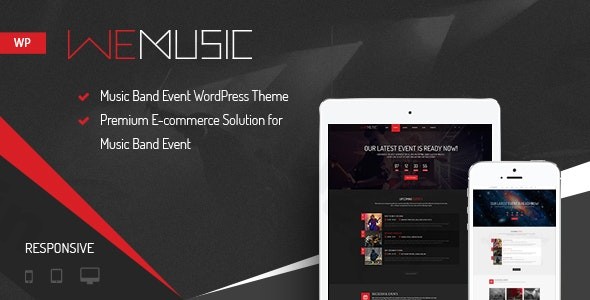
Step into the vibrant world of music and events with WeMusic, a premium Music Band Event WordPress Theme meticulously crafted for musicians, event organizers, nightclubs, DJs, and festival websites. This theme isn’t just about aesthetics; it’s a comprehensive platform that includes an integrated e-commerce solution, allowing you to sell event tickets, albums, and music-related merchandise effortlessly. If you’re looking to create a dynamic and visually engaging online presence that truly resonates with the entertainment industry, the WeMusic WordPress theme from ZeroPlugin.com offers a specialized and robust solution.
Key Features: Design, Layout & Performance for the Music Industry
WeMusic is engineered to provide a powerful and visually striking online experience, combining stunning design with robust functionality tailored specifically for the music and event niche.
Design & Layout Options
WeMusic understands the importance of visual impact in the entertainment world, offering a range of design elements to make your site stand out.
- Responsive & Retina-Ready Design: Your audience consumes content on diverse devices. WeMusic ensures your website looks flawless and sharp on everything from the latest smartphones to high-resolution desktop monitors, guaranteeing a crisp, professional display across all platforms.
- Dark & Light Versions: Match your brand’s unique aesthetic or offer your visitors a choice with stylish dark or light color schemes. This flexibility allows for impactful branding and enhanced user experience.
- 5 Stunning Homepage Variations: WeMusic offers diverse first impressions right out of the box, providing excellent starter points for any music band WordPress theme or festival WordPress theme:
- Transparent Menu: Creates a sleek, modern look.
- Countdown Parallax: Builds anticipation for upcoming events with engaging depth.
- Countdown Video: Uses compelling video backgrounds to capture attention.
- Countdown Slider: Showcases key visuals and messages in a dynamic carousel.
- Revolution Slider: Leverages the powerful premium slider plugin for highly customizable animated slides.
Customization Capabilities
Personalizing your site to reflect your unique brand is effortless with WeMusic’s comprehensive customization options.
- Unlimited Customization with Live Theme Customizer: Dive into the Live Theme Customizer to adjust colors, fonts (with integrated Google Fonts), and layouts in real-time. This intuitive interface empowers you to create a unique look without touching a line of code.
- WPBakery Page Builder Integration: The theme includes the premium Visual Composer (now WPBakery Page Builder), a drag-and-drop page builder that puts design control firmly in your hands. Adjust almost every element and create custom layouts with ease.
- Video & Parallax Backgrounds: Create surprising visual effects, especially with transparent menu variations, to give your site a youthful, vibrant, and interactive feel.
Event Management & Custom Post Types
Beyond standard WordPress functionalities, WeMusic offers specialized features that make it an ideal event WordPress theme.
- Built-in Event Management: Showcase upcoming and past events effortlessly using the integrated Event Calendar plugin. With seamless WooCommerce integration, you can sell event tickets directly from your site, making it a powerful tool for event organizers. It supports “Noo Countdown” and “Noo Events List and Grid” shortcodes for elegant event displays.
- Specialized Custom Post Types: Tailored for the music industry, these help you organize your content effectively:
- Team Member: Display your band members with detailed profiles, social links, and roles, fostering a deeper connection with your audience.
- Album: Showcase your discography with track details and direct purchase links (iTunes, Amazon, Beatport, SoundCloud), turning your website into a digital record store.
Performance & SEO Readiness
WeMusic prioritizes a fast and accessible experience for your visitors, which is crucial for SEO.
- High Performance: Advertised as enabling users to create “high-performance” sites, its responsive and Retina-ready design contributes to fast loading and sharp display across devices. While specific performance benchmarks (like Lighthouse scores) are not detailed, its focus on clean, responsive design lays a strong foundation.
- Translation & WPML Ready: Expand your global reach with full compatibility for multilingual websites, thanks to seamless integration with WPML. This is a significant advantage for artists and events with an international following.
- SEO-Friendly Structure: Premium themes like WeMusic typically adhere to best practices for clean markup and structured headings, contributing to better search engine visibility.
Installation & Demo Import Guide
Setting up your WeMusic WordPress theme is a straightforward process, even for those new to WordPress.
- Download the Theme: Obtain the WeMusic theme files from ZeroPlugin.com. You’ll typically receive a
.zipfile. - Install WordPress: Ensure you have a working WordPress installation (version 3.5 or higher, with PHP 5.6+ and MySQL 5+ recommended).
- Install the Theme:
- Log in to your WordPress dashboard.
- Navigate to
Appearance > Themes > Add New > Upload Theme. - Choose the WeMusic theme
.zipfile and clickInstall Now. - Once installed, click
Activate.
- Install Required Plugins: Upon activation, WeMusic will prompt you to install its recommended plugins, which include:
- Revolution Slider: For creating dynamic slideshows.
- WPBakery Page Builder (Visual Composer): The powerful drag-and-drop content builder.
- WooCommerce: Essential for e-commerce functionalities like selling tickets and albums.
- Contact Form 7: For creating flexible contact forms.
- Install and activate all these plugins to unlock the theme’s full potential.
- Import Demo Content: WeMusic supports importing demo content to help you quickly set up a site similar to the live preview. While specific one-click demo import steps can vary and are usually detailed in the theme’s official documentation, you would typically find this option under
Appearanceor a dedicated theme options panel. This process will populate your site with sample pages, posts, menus, and widgets, providing a solid foundation to customize.- Note: Large demo imports may require sufficient server memory and execution time. If you encounter issues, check your hosting’s PHP configuration (e.g.,
memory_limit,max_execution_time).
- Note: Large demo imports may require sufficient server memory and execution time. If you encounter issues, check your hosting’s PHP configuration (e.g.,
Customization Guide: Branding Your Music Website
Once WeMusic is installed, personalizing it to match your band, event, or brand is intuitive, leveraging the power of WordPress’s native Customizer and the included WPBakery Page Builder.
- Access the Live Theme Customizer: Go to
Appearance > Customize. This will open the Live Theme Customizer, where you can modify global styles and preview changes in real-time.- Colors: Easily change the color of most elements to align with your brand’s palette. With “unlimited color options,” you have complete creative freedom.
- Typography: Utilize Google Fonts to select the perfect typeface that reflects your musical style and brand identity.
- Header & Footer Layouts: While specific header/footer builders aren’t detailed beyond standard WordPress menu management, you can configure your custom WordPress menus via
Appearance > Menus.
- Building Pages with WPBakery Page Builder: For creating custom page layouts and content, the integrated WPBakery Page Builder is your primary tool.
- When editing a page or post, activate WPBakery Page Builder to use its drag-and-drop interface.
- Add elements like text blocks, images, videos, custom shortcodes (like “Noo Countdown” or “Noo Album”), and more to design unique pages.
- Setting Up Your Homepage:
- After demo import, your homepage might already be set. If not, create a new page in
Pages > Add New, design it with WPBakery, then go toSettings > Readingand set “Your homepage displays” to “A static page,” selecting your newly created page as the homepage.
- After demo import, your homepage might already be set. If not, create a new page in
- Managing Events and Albums:
- Use the dedicated
EventsandAlbumscustom post types in your WordPress dashboard to add and manage your musical content. These sections simplify showcasing your band members, discography, and upcoming gigs.
- Use the dedicated
FAQ & Troubleshooting
Here are answers to common questions about the WeMusic WordPress Theme:
Is WeMusic compatible with Elementor / WPBakery / Gutenberg?
WeMusic is deeply integrated with and includes the premium WPBakery Page Builder (formerly Visual Composer) for drag-and-drop page building. It is WPBakery Page Builder 9.x ready. While you can use the classic WordPress editor or basic blocks, native, deep integration with the WordPress Block Editor (Gutenberg) is not a highlighted feature, and Elementor is not officially supported.
Does WeMusic support WooCommerce for online stores?
Yes, WeMusic offers full integration with WooCommerce (WooCommerce 9.x ready). This allows you to seamlessly sell event tickets, music albums, and various merchandise directly from your website, turning it into a powerful e-commerce platform for the music industry.
How to add events in WeMusic theme?
To add events in WeMusic, you’ll utilize the built-in Event Management features. After installing the recommended Event Calendar plugin, you can typically find an “Events” section in your WordPress dashboard. From there, you can create new events, add details like date, time, venue, descriptions, and even integrate ticket sales via WooCommerce. The theme also provides “Noo Countdown” and “Noo Events List/Grid” shortcodes to elegantly display your events.
Does WeMusic support child themes?
Yes, as a premium WordPress theme available from ZeroPlugin.com, WeMusic is designed to support child themes. Using a child theme is highly recommended for any advanced customizations, as it allows you to modify the theme’s appearance and functionality without directly altering the core theme files. This ensures your customizations are preserved when the main WeMusic theme receives updates.
What should I do if the demo import fails or looks different from the demo site?
If the demo import fails or doesn’t look identical to the live demo, first ensure all required plugins are installed and activated. Check your server’s PHP configuration for sufficient memory_limit, max_execution_time, and upload_max_filesize. If issues persist, consult the official WeMusic documentation or contact ZeroPlugin.com’s premium support for expert assistance, as they can guide you through specific troubleshooting steps or server-side adjustments.
Conclusion
The WeMusic – Premium Music Band Event WordPress Theme is an outstanding choice for anyone in the music and entertainment industry looking for a specialized and visually striking online presence. Its design flexibility, with dark/light versions and five distinct homepage layouts, provides an excellent foundation, while the included WPBakery Page Builder offers extensive customization capabilities.With robust WooCommerce compatibility for selling tickets and albums, dedicated custom post types for “Team Members” and “Albums,” and seamless event management, WeMusic truly shines as an event WordPress theme and a WordPress theme for musicians. While specific performance metrics are not explicitly detailed, its responsive and Retina-ready design, combined with a focus on essential features, promises a high-performing site.WeMusic is ideal for individual artists, bands, DJs, event organizers, and festival promoters who want a professional, feature-rich website without having to build complex functionalities from scratch. Choosing WeMusic from ZeroPlugin.com also brings the benefits of a GPL license, regular updates, VirusTotal scanning for security, and dedicated premium support, making it a reliable and powerful platform to amplify your music and events online.
I. Download Limits & Account Benefits
- Free Downloads: Each email address receives 3 downloads per day for free products
- Upgrade Benefits: Purchase any paid product to increase your daily download limit by 3 for each paid product
- No Account Required: You can download immediately by receiving the download link via email
- Account Recommended: Create an account for easier access to your order history and direct update downloads
II. Understanding GPL vs Official Versions
Important: The products available on WPPick are GPL-licensed versions, which differ from official developer versions. Before purchasing, please read our comprehensive guide: Understanding GPL & Official Differences at WPPick
Key Points:
- GPL versions may not include premium support from original developers
- Updates may be delayed compared to official releases
- Some premium features might have limitations
- Always consider your specific needs and support requirements
III. Support & Assistance
We’re here to help through multiple channels:
- Email Support: Direct email assistance for all inquiries
- Live Chat: Real-time support during business hours
- Comprehensive Documentation: Detailed guides and tutorials
IV. Order Tracking
Access your complete purchase history and download links anytime: Order History
V. Account Access
New to WPPick? Login or Create Account to manage your downloads and orders efficiently.
VI. Refund Protection
We stand behind our products with a clear refund policy. Review our terms: Refund Policy
VII. Privacy & Security
Your data security is our priority. Learn how we protect your information: Privacy Policy
VII. Terms of Service
Understanding our service terms ensures a smooth experience: Terms of Use
Quick Tips for Best Experience
- Verify Compatibility: Check plugin/theme compatibility with your WordPress version
- Backup First: Always backup your site before installing new plugins or themes
- Test Environment: Consider testing on a staging site first
- Stay Updated: Regularly check for updates in your account dashboard
- Read Documentation: Review any included documentation for optimal setup
Need Help?
If you have questions about downloads, licensing, or need technical assistance, don’t hesitate to contact our support team. We’re committed to ensuring you have the best possible experience with WPPick products.
Ready to get started? Your download adventure begins with just one click!
- WooCommerce Outdated template files.
- Customizer live preview issue.
- Vulnerable to PHP Object Injection issue.
- Vulnerable to Cross Site Scripting.
- Check with the latest version of WP 6.x and other plugins.
- Vulnerable to Cross Site Scripting (XSS) issue.
- Vulnerable to Deserialization of untrusted data issue.
- Outdated WooCommerce template files.
- The latest version of WP 6.x and plugins.