

Werkstatt – Creative Portfolio WordPress Theme
/Year
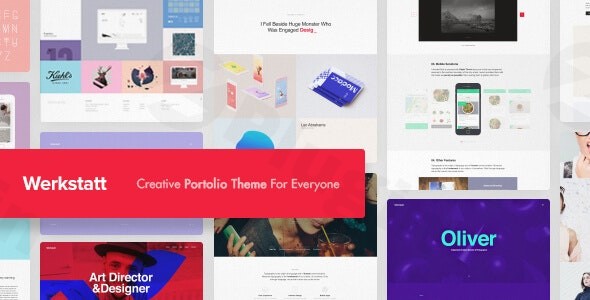
Choosing the right platform to showcase your creative work is a high-stakes decision. The Werkstatt WordPress theme is a premium, feature-rich solution specifically engineered for professionals who need a bold, visually striking online presence. Whether you are a graphic designer, photographer, or a creative agency, Werkstatt moves away from generic layouts to offer a “new state of mind” in web design—blending daring visuality with high-performance functionality.In this comprehensive guide, we will explore why Werkstatt is a top-tier creative portfolio WordPress theme, how to set it up, and how it can help your brand stand out in an increasingly crowded digital landscape.
Key Features: Bold Design meets High Performance
Werkstatt isn’t just another multipurpose theme; it is a design-first powerhouse. It focuses on providing an artistic experience through unique animations and unconventional layouts.
1. Diverse Portfolio and Blog Layouts
Werkstatt offers an extensive array of portfolio styles, including:
- Grid and Masonry: Perfect for photographers and visual artists.
- Carousel and Full-Screen: Ideal for high-impact agency homepages.
- 7 Blog Styles: Multiple ways to share your stories with 3 distinct pagination options (Infinite Scroll, Load More, and Regular Pagination).
2. Advanced Customization Capabilities
The theme provides deep control over your brand’s aesthetic without requiring code:
- Typography: Support for over 800 Google Fonts and a massive library of 2450+ Adobe Fonts.
- Unique Visual Elements: Werkstatt is famous for its daring sound effects and unique hover animations that create a memorable user experience.
- Customizer Integration: Most global settings are handled through the native WordPress Customizer, allowing for real-time previews of color and layout changes.
3. Performance and SEO Readiness
Is the Werkstatt theme good for SEO? Yes. Despite its heavy focus on visual effects, the theme is engineered to be lightweight. It uses clean markup and is optimized for speed to ensure that your high-resolution images don’t compromise your search engine rankings or mobile user experience.
Technical Specifications & Compatibility
Werkstatt is developed by fuelthemes, a Power Elite Author on ThemeForest known for high-quality code and reliable support.
- Page Builder: It primarily integrates with Visual Composer (WPBakery Page Builder), which is bundled for free with the theme.
- E-commerce: Fully compatible with WooCommerce, making it a great choice for artists selling prints or digital assets.
- Multilingual: Supports WPML for creators targeting a global audience.
- Responsiveness: Fully mobile-responsive, adapting seamlessly to desktops, tablets, and smartphones.
Installation & One-Click Demo Import
Setting up Werkstatt is straightforward, even for those who aren’t tech-savvy. Follow these steps to get your site looking like the professional demos:
- Install & Activate: Upload the theme zip file via Appearance > Themes > Add New in your WordPress dashboard.
- Plugin Setup: Upon activation, you will be prompted to install required companion plugins, including Visual Composer and Contact Form 7.
- One-Click Demo Import: Navigate to the theme options to access the demo importer. Werkstatt offers up to 18 unique pre-built demos.
- Wait for Completion: Large demo imports require a stable server. Ensure your PHP memory limit is set to at least 256M to avoid timeouts. Once finished, your menus, widgets, and sample pages will be ready for editing.
Customization Guide: Personalizing Your Brand
Once the demo is imported, personalizing your site is the next step.
Branding and Layouts
Use the WordPress Customizer to upload your logo and set your primary brand colors. Because Werkstatt supports a “brave visuality” philosophy, don’t be afraid to experiment with the unique hover effects and menu designs that set this theme apart from competitors like Astra or GeneratePress.
The “Info” Widget Area
A unique feature of Werkstatt is the four-column widget area accessible via an “Info” text link at the top right of the site. This is a perfect spot for contact details, social media links, or a brief “About Us” snippet that doesn’t clutter the main navigation.
Setting Up the Portfolio
The theme uses custom post types for portfolios. You can categorize your projects and choose specific detail page styles for each, ensuring that a branding project looks different from a photography gallery.
FAQ & Troubleshooting
Is the Werkstatt theme compatible with Elementor?
Werkstatt is primarily designed to work with Visual Composer (WPBakery), which is bundled with the theme. While you can install Elementor, the theme’s core demo layouts and unique features are built using Visual Composer.
Does Werkstatt support WooCommerce for online stores?
Yes, Werkstatt theme WooCommerce integration is fully supported. You can easily add a shop section to your creative portfolio to sell physical or digital products.
How can I update the theme without losing customizations?
To protect your modifications, always use a child theme for custom CSS or PHP changes. Major theme updates should be performed through the Envato Market plugin or by re-uploading the latest version from ThemeForest.
What should I do if the demo import fails?
Demo import failures are usually due to server resource limits. Check your “System Status” in the theme options and ensure your max_execution_time and memory_limit meet the developer’s recommendations.
Final Verdict: Is Werkstatt Right for You?
The Werkstatt WordPress theme is a standout choice for users who value high-end aesthetics and unique user interactions. Choose Werkstatt if:
- You want a bold, “agency-style” look that doesn’t feel like a template.
- You prefer working with the Visual Composer/WPBakery ecosystem.
- You need extensive portfolio layout options and high-end typography.Consider alternatives if:
- You prefer the native WordPress Block Editor (Gutenberg) or Elementor for all your page building.
- You are looking for a strictly minimalist, “content-only” blog theme without animations.Overall, Werkstatt provides incredible value for creative professionals looking to build a high-converting, visually stunning portfolio that performs as well as it looks. For more WordPress tips and theme reviews, visit wppick.com.
I. Download Limits & Account Benefits
- Free Downloads: Each email address receives 3 downloads per day for free products
- Upgrade Benefits: Purchase any paid product to increase your daily download limit by 3 for each paid product
- No Account Required: You can download immediately by receiving the download link via email
- Account Recommended: Create an account for easier access to your order history and direct update downloads
II. Understanding GPL vs Official Versions
Important: The products available on WPPick are GPL-licensed versions, which differ from official developer versions. Before purchasing, please read our comprehensive guide: Understanding GPL & Official Differences at WPPick
Key Points:
- GPL versions may not include premium support from original developers
- Updates may be delayed compared to official releases
- Some premium features might have limitations
- Always consider your specific needs and support requirements
III. Support & Assistance
We’re here to help through multiple channels:
- Email Support: Direct email assistance for all inquiries
- Live Chat: Real-time support during business hours
- Comprehensive Documentation: Detailed guides and tutorials
IV. Order Tracking
Access your complete purchase history and download links anytime: Order History
V. Account Access
New to WPPick? Login or Create Account to manage your downloads and orders efficiently.
VI. Refund Protection
We stand behind our products with a clear refund policy. Review our terms: Refund Policy
VII. Privacy & Security
Your data security is our priority. Learn how we protect your information: Privacy Policy
VII. Terms of Service
Understanding our service terms ensures a smooth experience: Terms of Use
Quick Tips for Best Experience
- Verify Compatibility: Check plugin/theme compatibility with your WordPress version
- Backup First: Always backup your site before installing new plugins or themes
- Test Environment: Consider testing on a staging site first
- Stay Updated: Regularly check for updates in your account dashboard
- Read Documentation: Review any included documentation for optimal setup
Need Help?
If you have questions about downloads, licensing, or need technical assistance, don’t hesitate to contact our support team. We’re committed to ensuring you have the best possible experience with WPPick products.
Ready to get started? Your download adventure begins with just one click!
- vulnerability issue fixed
- vulnerability issue fixed
- WP Bakery Update