

Workreap – Freelance Marketplace WordPress Theme
/Year
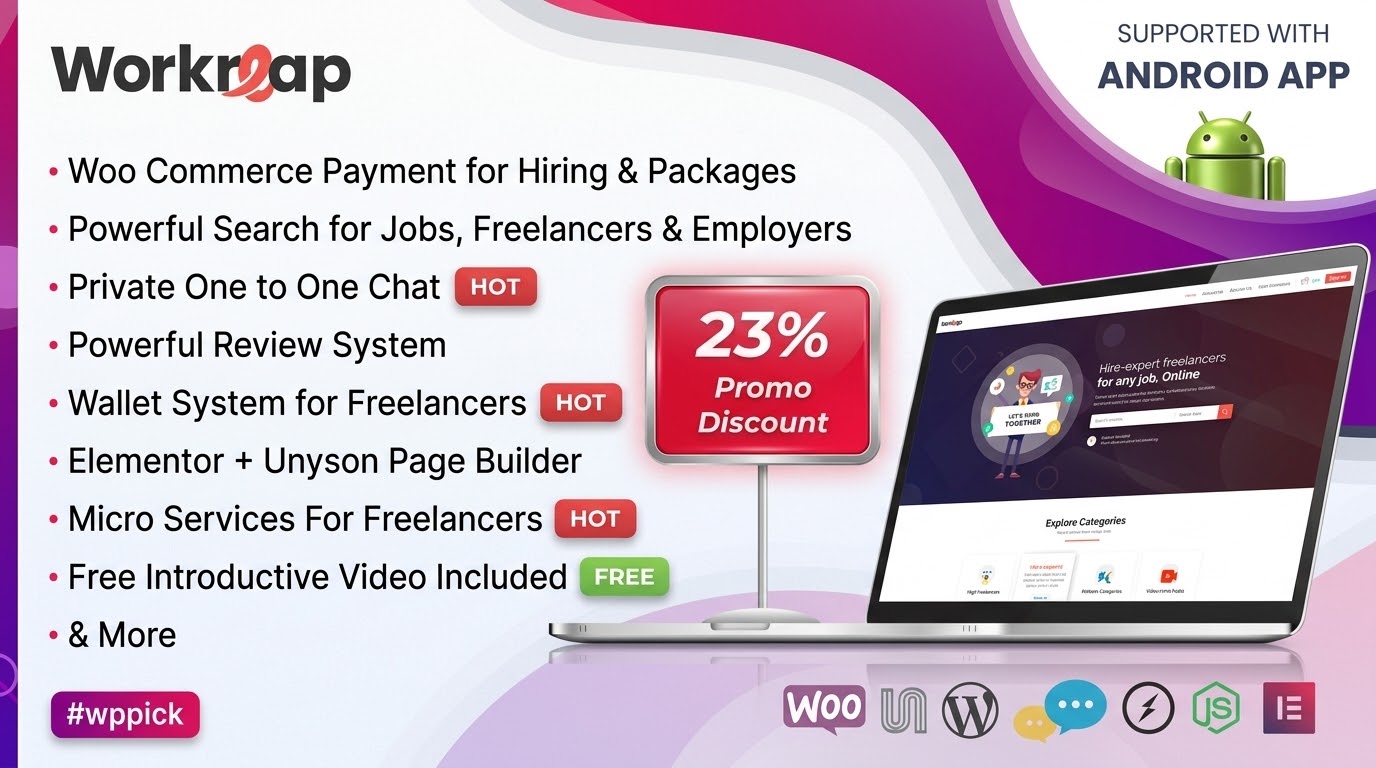
Workreap is a professional Freelance Marketplace WordPress theme meticulously crafted to empower entrepreneurs, businesses, agencies, and individual freelancers to build robust online platforms. Designed with a modern and intuitive interface, Workreap provides a comprehensive solution for establishing job boards and service-based platforms, seamlessly connecting freelancers with employers. This theme review and setup guide will walk you through Workreap’s features, customization options, and how to get your freelance marketplace up and running efficiently.
Key Features: Design, Layout & Performance
Workreap is packed with functionalities and design elements tailored for a dynamic online marketplace, focusing on an exceptional user experience and robust backend management.
Design & Layout Options
Workreap offers extensive visual flexibility, allowing you to create a unique and professional-looking freelance marketplace. The theme comes with over 12 unique homepages or pre-built website demos that can be imported with a single click, providing diverse starting points for your platform.You can choose from various page layout types including:
- Default
- Customizable Front Page
- Elementor Canvas
- Elementor Full Page Width
- Full Page Width
- Landing Page (No Header)
- Theme
- Theme With Header
- Theme With SidebarBeyond page layouts, Workreap includes multiple header variants to customize the top section of your website, ensuring a strong visual hierarchy and branding consistency. The theme’s design philosophy emphasizes a contemporary aesthetic, prioritizing usability and an overall smooth user experience.
Customization Capabilities
Personalizing your Workreap site to match your brand identity is straightforward thanks to its powerful customization options:
- Color Schemes: Workreap provides dynamic color schemes and offers unlimited color options, giving you full control over your site’s aesthetics.
- Typography: With Google Fonts support, you have flexibility in selecting body and heading fonts, along with customizing primary, secondary, and other font colors.
- Admin Panel & Theme Options: A powerful admin panel and extensive “Theme Options” allow you to manage global settings, including your logo, menus, and general site appearance. These options also include specific settings for freelancer profiles and search functionalities.
- Elementor Integration: Deep integration with the Elementor page builder means you can easily control spacing, containers, sections, backgrounds, and even add parallax effects for visual depth.
Performance & SEO Features
Workreap is engineered for optimal performance and search engine visibility, crucial for any successful online platform:
- Optimized Code: Built with clean, optimized code, Workreap aims for lightning-fast performance and maximum efficiency, contributing to enhanced user satisfaction.
- Fully Responsive Design: The theme is 100% fully responsive, ensuring a seamless and engaging experience across all devices and screen sizes, from desktops to mobile phones.
- Cross-Browser Compatibility: It boasts extensive cross-browser compatibility, supporting IE9, IE10, IE11, Firefox, Safari, Opera, Chrome, and Edge.
- Translation Ready: Workreap is translation-ready with .po/.mo files, allowing you to cater to a global audience.
- SEO Optimization: The theme supports SEO optimization, helping your freelance marketplace rank higher in search results and attract more users.
Installation & Demo Import
Getting started with Workreap is designed to be user-friendly, even for those new to WordPress.
- Install & Activate the Theme: After purchasing and downloading Workreap, navigate to your WordPress dashboard. Go to
Appearance > Themes > Add New > Upload Theme. Choose the Workreap theme zip file and click “Install Now.” Once installed, click “Activate.” - Install Required Plugins: Workreap relies on several companion plugins for its full functionality. Upon activation, you will typically see a notification to install and activate these required plugins. These usually include plugins for page building (Elementor), e-commerce (WooCommerce), and other marketplace-specific features.
- One-Click Demo Import: Workreap offers a one-click demo import feature, which is the quickest way to set up your site to look like one of the beautiful pre-built demos. After installing the required plugins, look for a “Demo Import” or “Import Demo Data” option in your WordPress dashboard, often found under
Appearanceor a dedicated theme menu. Select your desired demo and initiate the import. - What to Expect: The demo import process will populate your site with pre-designed pages, posts, sample content, menus, and widgets, mirroring the chosen demo site. Be aware that demo images are often for demonstration purposes only and are not included in the theme package due to licensing restrictions. You’ll need to replace these with your own images.Common Pitfalls: For a smooth demo import, ensure your server meets the recommended technical specifications. Workreap recommends PHP version 7.4, the PHP Zip extension, and specific server settings like
max_execution_time(300),max_input_time(300), and an adequately configuredmemory_limitto prevent timeouts during the import of larger demo content.
Customization Guide: Branding & Layout
Workreap provides robust tools to personalize your freelance marketplace, ensuring it reflects your brand’s unique identity.The primary hub for site-wide personalization is the Theme Options panel, often accessible through the WordPress Customizer (Appearance > Customize) or a dedicated menu in your dashboard. Here, you can control:
- Logo & Site Identity: Easily upload your brand logo, favicon, and adjust site title and tagline.
- Color Schemes: Leverage the dynamic and unlimited color options to fine-tune your brand’s palette across headers, footers, buttons, and other elements.
- Typography: Select from a wide range of Google Fonts for your body text and headings, customizing their sizes, weights, and colors for optimal readability and brand consistency.
- Header & Footer Layouts: Workreap includes various header variants, allowing you to choose a layout that best suits your site’s navigation and aesthetic needs. Footer content can typically be customized via widget areas or specific theme options.
- Menus: Easily create and assign your navigation menus through
Appearance > Menus, including the option to build mega menus, especially with its integration with Elementor and a Mega Menu extension via Unyson. - Homepage & Blog Page Settings: Configure your static homepage and blog posts page under
Settings > Reading.For individual page and post layouts, Workreap’s deep integration with Elementor, a drag-and-drop page builder, provides unparalleled flexibility. You can visually design and customize virtually any aspect of your pages without writing a single line of code.Workreap also comes with a child theme included, which is a crucial best practice for any custom code modifications (CSS, JavaScript, PHP). Using a child theme ensures that your customizations are preserved even when you update the main Workreap theme, maintaining your unique branding and functionality over time. The theme is described as having “very clean and easily extendable” code, allowing for advanced customization through hooks and filters if needed.
FAQ & Troubleshooting
Here are answers to common questions about the Workreap WordPress theme, designed to be clear and helpful for both traditional and AI-powered search.
Is Workreap compatible with Elementor and Gutenberg?
Workreap is prominently built with and fully compatible with the Elementor page builder, offering extensive drag-and-drop functionality for page creation and layout design. While its primary page building relies on Elementor, one source indicates it is “not Gutenberg Optimized,” meaning a deeper integration with the native WordPress Block Editor (Gutenberg) for layout design is not its strong suit.
Does Workreap support WooCommerce for online stores and payment processing?
Yes, Workreap is fully compatible with WooCommerce. This integration is central to its robust e-commerce features, enabling secure payment processing, managing job posting packages, and facilitating a commission system for platform monetization. This makes Workreap an excellent choice for a freelance marketplace.
Does Workreap support child themes?
Yes, Workreap comes with a child theme included in the package. Using a child theme is highly recommended for any custom code modifications (CSS, JavaScript, or PHP) to ensure that your changes are not lost when the main Workreap theme receives updates.
What are the recommended server requirements for Workreap?
For optimal performance and to ensure smooth demo imports, Workreap recommends PHP version 7.4. Additionally, the PHP Zip extension is required, and server settings for max_execution_time (300 seconds), max_input_time (300 seconds), and an adequately configured memory_limit are advised to prevent issues.
How can I monetize a freelance marketplace created with Workreap?
Workreap offers robust built-in monetization options. You can monetize your freelance marketplace by implementing a commission system for services or projects, offering paid listing packages for employers to post jobs, and utilizing its secure payment system integrated with WooCommerce which supports an escrow system and a wallet system for freelancers.
Conclusion
Workreap stands out as a powerful and feature-rich freelance marketplace WordPress theme, providing a comprehensive toolkit for anyone looking to build a Fiverr-like website with WordPress. Its visually appealing and modern design, coupled with deep integration with the Elementor page builder, offers significant design flexibility and an intuitive customization experience for both beginners and experienced users.With its focus on lightning-fast performance, SEO optimization, and full mobile responsiveness, Workreap ensures your platform will be accessible and performant across all devices. The theme’s core strength lies in its specialized marketplace functionalities, including advanced user dashboards, a secure payment system with WooCommerce integration (escrow, commissions, wallet), and features like project bidding and real-time chat.Workreap is an ideal choice for entrepreneurs, businesses, and agencies aiming to launch or scale a dynamic online service platform quickly and efficiently. If you’re seeking a robust, user-friendly, and highly customizable solution to create a powerful freelance marketplace, Workreap delivers a strong foundation.
I. Download Limits & Account Benefits
- Free Downloads: Each email address receives 3 downloads per day for free products
- Upgrade Benefits: Purchase any paid product to increase your daily download limit by 3 for each paid product
- No Account Required: You can download immediately by receiving the download link via email
- Account Recommended: Create an account for easier access to your order history and direct update downloads
II. Understanding GPL vs Official Versions
Important: The products available on WPPick are GPL-licensed versions, which differ from official developer versions. Before purchasing, please read our comprehensive guide: Understanding GPL & Official Differences at WPPick
Key Points:
- GPL versions may not include premium support from original developers
- Updates may be delayed compared to official releases
- Some premium features might have limitations
- Always consider your specific needs and support requirements
III. Support & Assistance
We’re here to help through multiple channels:
- Email Support: Direct email assistance for all inquiries
- Live Chat: Real-time support during business hours
- Comprehensive Documentation: Detailed guides and tutorials
IV. Order Tracking
Access your complete purchase history and download links anytime: Order History
V. Account Access
New to WPPick? Login or Create Account to manage your downloads and orders efficiently.
VI. Refund Protection
We stand behind our products with a clear refund policy. Review our terms: Refund Policy
VII. Privacy & Security
Your data security is our priority. Learn how we protect your information: Privacy Policy
VII. Terms of Service
Understanding our service terms ensures a smooth experience: Terms of Use
Quick Tips for Best Experience
- Verify Compatibility: Check plugin/theme compatibility with your WordPress version
- Backup First: Always backup your site before installing new plugins or themes
- Test Environment: Consider testing on a staging site first
- Stay Updated: Regularly check for updates in your account dashboard
- Read Documentation: Review any included documentation for optimal setup
Need Help?
If you have questions about downloads, licensing, or need technical assistance, don’t hesitate to contact our support team. We’re committed to ensuring you have the best possible experience with WPPick products.
Ready to get started? Your download adventure begins with just one click!
- Made some security enhancements
- Fixed various styling inconsistencies
- Fixed alphabetic character issue in numeric field
- Addressed various other minor styling issues
- Resolved responsive layout issues on the task profile page
- Fixed styling conflict with Google social login button
- Implemented "Read More" functionality for freelancer descriptions
- Addressed various other minor styling issues
- Fixed the default logo for hourly invoices
- Fixed task ratings displayed differently on various screens
- Fixed the admin's withdraw request rejection issue
- Hourly working hours are now displayed as a listing
- Make some security enhancements
- Resolved issues related to Select2 functionality.
- Fixed various styling inconsistencies.
- Enhanced Google Login to retrieve and process user types.
- Enabled employers to invite freelancers to any project.
- Make some security enhancements.
- Fixed minor layout issue on mobile devices
- Resolved a compatibility issue with the latest WordPress version
- Fixed issue with service creation with addons
- Implemented balance adjustment functionality for employers
- Enabled admins to assign a custom commission to any user, overriding the default commission set in the theme settings
- Added a city field to tasks, projects, and both freelancer and employer profiles
- Integrated city-based search functionality for freelancers, services, and projects
- Introduced the ability to delete subtasks within a service
- Added an admin option to modify titles of service packages
- Enhanced the order details screen with additional order information
- Corrected reCAPTCHA error messages to align with returned error responses
- Resolved issue with emails not being sent to freelancers upon project contract completion
- Fixed an issue where the "task type" was displayed in task search results even when subcategories were not available
- Update server requirements check during demo content import.
- Make some security enhancements.
- Elementor latest version compatibility.
- Minor adjustments and performance optimizations.