

Wp Rentals – Booking Accommodation WordPress Theme
/Year
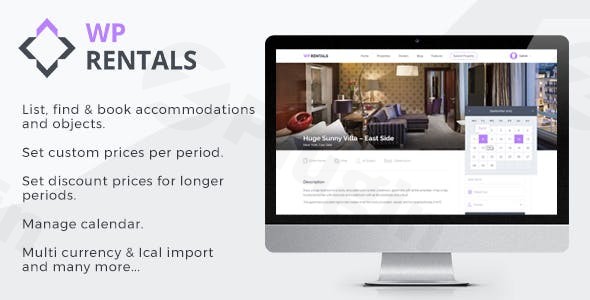
Are you looking to create a robust and visually appealing online platform for booking accommodation or object rentals? The WP Rentals WordPress theme stands out as a comprehensive solution, meticulously crafted for property owners, agencies, and entrepreneurs aiming to build their own rental marketplace similar to Airbnb or Booking.com. This theme offers a flexible and intuitive design philosophy, blending modern aesthetics with powerful booking functionalities to deliver a seamless user experience.
Key Features: Design, Layout & Performance
WP Rentals is engineered to provide a feature-rich experience, focusing on both front-end aesthetics and back-end functionality.
Design & Layout Options
The theme is fully responsive and Retina ready, ensuring your rental listings look sharp and perform flawlessly on any device, from desktops to smartphones. It offers remarkable flexibility in displaying your listings, including classic grid layouts and an engaging “Half Map” version that seamlessly combines a map view with property details.
- Diverse Demos: Get started quickly with the theme’s one-click demo import feature. WP Rentals provides a wide array of pre-built demos (sources mention 21, 22, and even 24 layouts), catering to various niches from vacation rentals and individual properties to specialized hourly rentals like ski equipment or office spaces.
- Header & Menu Options: Choose from two distinct menu design styles and various header types, including dynamic Maps, engaging Properties Sliders, Revolution Slider integrations, static Images, or no header at all. A transparent header option adds a modern touch to specific pages.
- Advanced Map Integration: Leverage the power of Optimized Google Maps API implementation for radius searches, location auto-complete, and custom listing pins. Alternatively, for those preferring open-source solutions, the theme supports Open Street Map and Algolia API implementation for geocoding and location search, offering a cost-effective alternative to Google Places.
Customization Capabilities
WP Rentals empowers users with extensive customization, all manageable without a single line of code.
- Powerful Theme Admin (Redux Framework): At its core, the theme boasts a powerful admin panel built with Redux Framework, providing over 250 neatly organized settings. This central hub allows you to control virtually every aspect of your site, from global styles to specific booking parameters.
- Color Systems: Easily customize the theme’s colors from header to footer, matching your brand identity directly through the theme options.
- Page Builder Powerhouse: WP Rentals comes bundled with WPBakery Page Builder, Revolution Slider, and Ultimate Addons for WPBakery Page Builder. These powerful tools enable drag-and-drop page creation, dynamic slideshows, and a multitude of extra shortcodes for design variety. Additionally, the theme offers Elementor compatibility, including dedicated widgets and the “WpRentals Elementor Studio” for building custom templates even with Elementor Free.
- Unlimited Sidebars: Beyond predefined sidebars, you can create your own custom sidebars and populate them with theme-specific widgets or other standard WordPress widgets, enhancing content flexibility.
Performance & SEO Features
WP Rentals is built with performance and search engine visibility in mind.
- Built-in Caching System: The theme includes built-in speed optimization settings, such as caching queries and limiting map pins, to help you build fast websites.
- Responsive and Cross-Browser Compatible: Ensuring a smooth user experience across all devices and browsers, the theme is designed for universal accessibility.
- Translation & WPML Ready: With translation readiness and full WPML support, WP Rentals allows you to create multilingual booking platforms, expanding your reach to a global audience.
Installation & Demo Import
Getting your WP Rentals theme website up and running is designed to be straightforward, even for beginners.
- Install & Activate the Theme: After downloading WP Rentals from ThemeForest or your chosen marketplace, navigate to your WordPress Dashboard, go to
Appearance > Themes > Add New > Upload Theme, and upload the theme zip file. Once uploaded, click “Install Now” and then “Activate.” - Install Required Plugins: Upon activation, WP Rentals will prompt you to install its recommended plugins, including WPBakery Page Builder, Revolution Slider, and Ultimate Addons for WPBakery Page Builder. Ensure these are installed and activated for full theme functionality.
- One-Click Demo Import: To replicate one of the stunning demo sites, head to the theme’s import section (usually found under
Theme OptionsorAppearance > Import Demo Data). Select your preferred demo and initiate the one-click demo import. This process will automatically import pages, posts, theme settings, widgets, and menus. - Post-Import Expectations: After the demo import, you should see your site transformed, mirroring the chosen demo. You might need to manually set your homepage (under
Settings > Reading) and assign menus (underAppearance > Menus) if they aren’t automatically configured. For testing the booking functionality, you can use the provided demo user access:- Username:
user - Password:
1234Common Pitfalls: For large demo imports, ensure your server’s PHP memory limit and execution time are sufficient to prevent timeouts. Consult your hosting provider or theme documentation for recommended settings.
- Username:
Customization Guide (Branding & Layout)
Personalizing your WordPress booking platform theme with WP Rentals is intuitive, primarily through its powerful theme options panel.
- Theme Options (Redux Framework): The central hub for all customizations is the theme options panel. Here, you can define global styles, control header and footer layouts, manage booking settings, and fine-tune every detail. Look for
WP Rentals OptionsorTheme Optionsin your WordPress dashboard. - Changing Colors & Typography: Easily brand your site by navigating to the color settings within the theme options. You can adjust primary, secondary, and accent colors for various elements, ensuring your site perfectly aligns with your brand. While specific typography systems aren’t explicitly detailed, the theme’s integration with page builders allows for extensive font control.
- Header & Footer Layouts: Utilize the dedicated sections in the theme options to select your desired header style, integrate sliders or maps, and configure footer content and widget areas.
- Homepage and Blog Setup: After importing a demo, you can designate any page as your static homepage and another for your blog posts via
Settings > Reading. - Custom Fields & Booking Rules: A standout feature is the granular control over booking rules and custom fields. From the front-end submit form, owners can define:
- Default price per night/hour
- Custom prices for specific periods (e.g., peak season rates)
- Discounts for longer bookings (7+ or 30+ days/hours)
- Weekend pricing
- Minimum booking days/hours
- Cleaning, city, and extra guest fees (calculated by night, guest, or both)
- Security deposits and tax values
- Early bird discounts for advanced bookings
- Changeover days (check-in only or check-in/check-out on specific days)
- Extra booking options with varied pricing (fixed, by night, by guest).This level of detail makes WP Rentals an incredibly flexible WordPress theme with custom pricing rules for any rental business.
FAQ & Troubleshooting
Is WP Rentals compatible with Elementor and WPBakery Page Builder?
Yes, WP Rentals is highly compatible with both Elementor and WPBakery Page Builder. WPBakery Page Builder (along with Revolution Slider and Ultimate Addons) is included with the theme, offering robust drag-and-drop design capabilities. Additionally, WP Rentals provides dedicated Elementor widgets and the “WpRentals Elementor Studio” to facilitate custom template creation using Elementor (even the free version).
Does WP Rentals support WooCommerce for online stores and payments?
Yes, WP Rentals is fully integrated with WooCommerce, making it a powerful WooCommerce booking theme. This integration enables secure payment processing for listing submissions and booking service fees, supporting a wide range of payment gateways (PayPal, Stripe, Wire Transfer) and allowing for deposits and service fees to be collected by the admin.
How can I sync the WP Rentals calendar with external platforms like Airbnb or Google Calendar?
WP Rentals supports iCal feed synchronization. This means you can easily import calendar availability from other platforms that support iCal (like Airbnb or Google Calendar) into your WP Rentals listings. Conversely, you can also export your listing’s iCal feed to other compatible websites, ensuring real-time availability and preventing double bookings across different platforms. You can add multiple iCal feeds for each listing.
Is WP Rentals suitable for building a multi-owner or Airbnb-like platform?
Absolutely. WP Rentals is an excellent choice for multi-owner platforms or creating an Airbnb clone WordPress theme. It allows users to register, submit their own listings (properties or objects), and manage their reservations and bookings from their individual accounts. The admin can also set commissions for submissions or confirmed bookings, facilitating a complete marketplace model.
What should I do if the WP Rentals theme demo import fails or looks different from the demo site?
If the demo import fails or doesn’t look as expected, first ensure your server meets the recommended PHP configuration (memory limit, execution time). Check for any conflicting plugins. If issues persist, clear your website’s cache (if you have a caching plugin) and try importing again. Often, minor discrepancies can be resolved by manually assigning menus or setting the correct homepage and blog page in WordPress settings. If all else fails, consult the theme’s official documentation or support channels.
Conclusion
The WP Rentals WordPress theme is a highly specialized and comprehensive solution for anyone looking to establish a professional accommodation or object rental platform. Its blend of modern design, extensive customization through the Redux Framework and included page builders, coupled with granular booking and pricing controls, makes it an unrivaled choice.From supporting both daily and hourly rental WordPress theme options to robust calendar synchronization via iCal and seamless WooCommerce integration for secure payments, WP Rentals provides the tools needed to build a scalable and user-friendly booking marketplace. While the last update mentioned in some reviews could be a point of inquiry, the core feature set remains incredibly strong.Ideal for property owners, real estate agencies, and entrepreneurs aiming for an Airbnb clone WordPress theme or a niche vacation rental WordPress theme, WP Rentals delivers on its promise of an all-in-one booking platform. If your goal is a feature-rich, visually appealing, and highly functional rental website, WP Rentals is a confident recommendation.
I. Download Limits & Account Benefits
- Free Downloads: Each email address receives 3 downloads per day for free products
- Upgrade Benefits: Purchase any paid product to increase your daily download limit by 3 for each paid product
- No Account Required: You can download immediately by receiving the download link via email
- Account Recommended: Create an account for easier access to your order history and direct update downloads
II. Understanding GPL vs Official Versions
Important: The products available on WPPick are GPL-licensed versions, which differ from official developer versions. Before purchasing, please read our comprehensive guide: Understanding GPL & Official Differences at WPPick
Key Points:
- GPL versions may not include premium support from original developers
- Updates may be delayed compared to official releases
- Some premium features might have limitations
- Always consider your specific needs and support requirements
III. Support & Assistance
We’re here to help through multiple channels:
- Email Support: Direct email assistance for all inquiries
- Live Chat: Real-time support during business hours
- Comprehensive Documentation: Detailed guides and tutorials
IV. Order Tracking
Access your complete purchase history and download links anytime: Order History
V. Account Access
New to WPPick? Login or Create Account to manage your downloads and orders efficiently.
VI. Refund Protection
We stand behind our products with a clear refund policy. Review our terms: Refund Policy
VII. Privacy & Security
Your data security is our priority. Learn how we protect your information: Privacy Policy
VII. Terms of Service
Understanding our service terms ensures a smooth experience: Terms of Use
Quick Tips for Best Experience
- Verify Compatibility: Check plugin/theme compatibility with your WordPress version
- Backup First: Always backup your site before installing new plugins or themes
- Test Environment: Consider testing on a staging site first
- Stay Updated: Regularly check for updates in your account dashboard
- Read Documentation: Review any included documentation for optimal setup
Need Help?
If you have questions about downloads, licensing, or need technical assistance, don’t hesitate to contact our support team. We’re committed to ensuring you have the best possible experience with WPPick products.
Ready to get started? Your download adventure begins with just one click!
- Ajax search and pagination in search results page, half map layout
- Security hardening for user-generated content in post titles (Contributor Roles)
- Security improvements for the User ID Verification process
- WpRentals Core Functionality plugin updated to version 3.16.2
- WpRentals Elementor plugin updated to version 3.16.2