
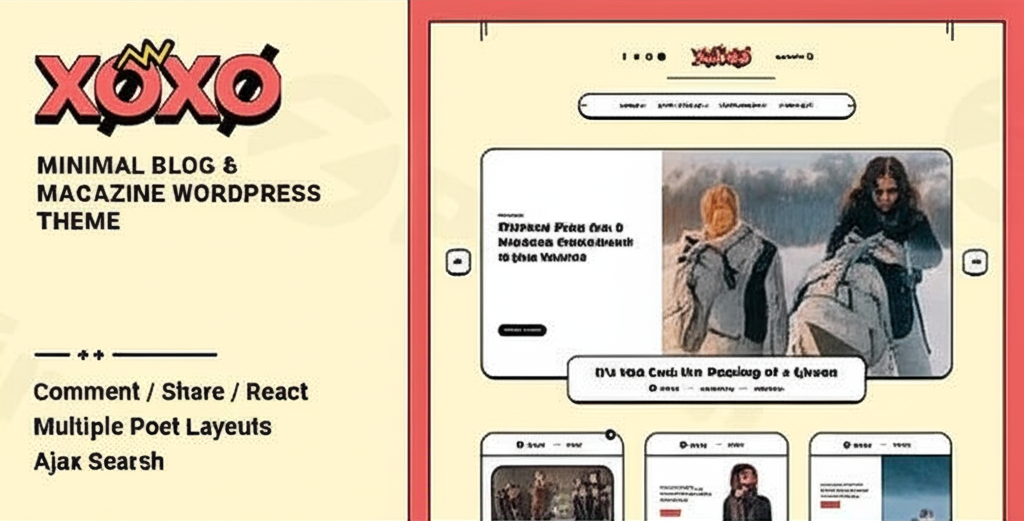
Xoxo – Blog & Magazine WordPress Theme
/Year

Elevate your digital storytelling with XOXO, a sophisticated WordPress theme meticulously designed for bloggers, magazine publishers, and lifestyle content creators who demand both elegance and powerful functionality. If you’re looking to establish a strong online presence for your fashion blog, beauty publication, health and wellness platform, or creative portfolio, XOXO provides the perfect blend of aesthetic appeal and robust features. This review and setup guide will walk you through XOXO’s standout capabilities and how to effortlessly build a stunning website.
Introduction: Crafting a Visually Stunning Online Presence
XOXO stands out as a premium Xoxo Blog & Magazine theme for WordPress, engineered to captivate audiences with its clean, modern design and exceptional user experience. Developed by Frenify, an Elite Author on ThemeForest, XOXO caters specifically to individuals and businesses aiming to create content-rich websites, such as aesthetic lifestyle magazines, online fashion hubs, health and beauty blogs, and trend analysis platforms. It’s built for those who prioritize visual appeal, fast performance, and intuitive customization without needing coding expertise.
Key Features: Design, Layout & Performance
XOXO delivers a comprehensive suite of features that empower you to create a beautiful, high-performing website.
Design & Layout Options
XOXO offers exceptional versatility in presenting your content, ensuring your site looks professional and engaging.
- Diverse Blog Layouts: Choose from 5 distinct blog layouts, supporting both fullwidth and standard page presentations. The theme also includes multiple homepage and post layout variations, allowing you to tailor the look and feel to your specific content.
- Unique Visual Elements: Beyond standard layouts, XOXO integrates engaging features to enhance reader interaction. These include Ready & Unlimited Reactions for Blog Posts and a Vote Widget Area, encouraging direct feedback from your audience. For an enhanced reading experience, Infinity Scroll for Single Posts (ajax previous post) ensures continuous content delivery, while Now Reading for Single Posts keeps visitors informed of their progress.
- Post Formats: With 7 integrated post formats (Quote, Link, Audio, Gallery, Video, Image, and Standard), each boasting unique designs for list pages and single posts, you can elegantly showcase various types of media and content.
- Pixel-Perfect Responsive Design: XOXO boasts a 100% responsive and mobile-first layout, guaranteeing your content looks flawless and functions perfectly across all devices, from desktops to smartphones and tablets.
Customization Capabilities
Personalizing your XOXO theme is intuitive, allowing you to align your website with your brand identity effortlessly.
- Powerful Options Panel: The theme comes with a comprehensive “Theme Options” panel, accessible directly from your WordPress Dashboard under
Xoxo -> Theme Options. This central hub provides global control over General Options, Main Colors, Logo, Desktop Navigation, Typography, Reactions, Blog Single, Blog, Footer, Share, Custom CSS, and SEO settings. - Custom Coloring & Typography: Manage main colors globally to establish a consistent brand palette. XOXO also places a strong emphasis on typography, integrating over 800 Google Fonts to give you significant control over your site’s textual aesthetics, all manageable from the theme options.
- One-Click Demo Import: Get a head start on your design with XOXO’s one-click demo import feature, allowing for easy setup and a quick launch of your site with pre-designed content.
- Custom CSS: For advanced users or specific styling needs, the theme includes a Custom CSS section, enabling you to add your own code for pixel-perfect adjustments.
Performance & SEO Features
XOXO is engineered for speed and search engine visibility, crucial for reaching a wider audience.
- Lightning-Fast Performance: Experience exceptional loading speeds thanks to XOXO’s optimized codebase. It’s designed to be Super Fast and Lightweight, helping to ensure a seamless navigation experience for your visitors and reduced bounce rates.
- SEO-Optimized Architecture: Built with modern SEO practices in mind, XOXO features a clean code structure, schema markup implementation, and compatibility with mobile-first indexing, all contributing to potentially higher Google rankings. It’s specifically optimized for Core Web Vitals, ensuring quick and efficient loading times that Google favors.
Installation & Demo Import
Setting up your XOXO theme is a straightforward process, even for those new to WordPress.
- Install & Activate the Theme:
- From your WordPress Dashboard, navigate to
Appearance > Themes. - Click
Add New, thenUpload Theme. - Choose the XOXO theme ZIP file you downloaded and click
Install Now. - Once installed, click
Activateto make XOXO your active theme.
- From your WordPress Dashboard, navigate to
- Install Required/Recommended Plugins: While XOXO is compatible with many popular plugins, always check for any specific “required” plugins the theme recommends after activation. These are usually indicated via a notification banner in your dashboard.
- One-Click Demo Import:
- After activation, look for an option within your dashboard, often under
Xoxo -> Theme OptionsorAppearance -> Import Demo Data, to begin the demo import process. - Select the demo you wish to import and follow the on-screen prompts.
- What to Expect: The demo import will typically bring in pre-designed pages, posts, sample content, menus, widgets, and theme settings, making your site look like the demo.
- Potential Pitfalls: Large demo imports can sometimes require increased server memory or timeout limits. If you encounter issues, consider contacting your hosting provider to temporarily increase
PHP memory_limitandmax_execution_time.
- After activation, look for an option within your dashboard, often under
Customization Guide: Branding & Layout
XOXO provides powerful and intuitive tools to personalize your website to perfectly match your brand.
- Accessing Theme Options: All global customization settings are managed through the
Xoxo -> Theme Optionspanel in your WordPress Dashboard. This is your central hub for branding and layout adjustments. - Changing Colors & Typography: Navigate to the “Main Colors Options” to globally adjust your website’s color scheme. In the “Typography Options” section, you can select from over 800 Google Fonts and control font sizes and styles to define your brand’s unique voice.
- Logo & Site Identity: Under “Logo Options,” you can upload your custom logo and favicon to establish your brand’s identity across your site.
- Header & Footer Layouts: The “Desktop Navigation Options” and “Footer Options” allow you to configure the layout and content of your header and footer areas, including menu assignments, widget areas, and copyright information.
- Blog & Single Post Settings: Fine-tune the appearance of your blog archives and individual posts through the “Blog Options” and “Blog Single Options,” controlling elements like post meta, featured images, and pagination.
- Integrating with Page Builders: XOXO is compatible with the WordPress Block Editor (Gutenberg) and Elementor, giving you drag-and-drop flexibility to design custom page layouts beyond the theme’s built-in options. This allows you to create unique landing pages or article layouts with ease.
- Custom CSS for Advanced Styling: For granular control or specific design tweaks not available in the options panel, the “Custom CSS” section provides a safe place to add your own CSS code without modifying theme files directly.
FAQ & Troubleshooting
Here are answers to some common questions about the XOXO WordPress theme.Q: Is XOXO WordPress theme compatible with Elementor / Gutenberg?A: Yes, the XOXO WordPress theme is fully compatible with both the native WordPress Block Editor (Gutenberg) and the popular Elementor page builder, offering flexibility in content creation and page design.Q: Does XOXO support WooCommerce for online stores?A: Yes, XOXO is compatible with WooCommerce. This means you can seamlessly integrate an online store into your blog or magazine, allowing you to showcase and sell products alongside your content.Q: Is XOXO theme SEO friendly?A: Absolutely. XOXO is designed with SEO-optimized architecture, featuring clean code, schema markup implementation, and mobile-first indexing compatibility. It is also optimized for Core Web Vitals to ensure fast loading times and a better score on Google.Q: Does XOXO theme have PHP 8 compatibility?A: As of its documentation (early 2023), XOXO was “not yet compatible with PHP8” and required PHP 7.3 or higher. Users should verify the latest compatibility with the developer, Frenify, if planning to use PHP 8 or newer versions for their server environment.Q: How can I update the XOXO theme without losing my customizations?A: To update the XOXO theme safely and preserve your customizations, it is highly recommended to use a child theme. A child theme inherits all the functionality and styling of the parent theme (XOXO) but allows you to make modifications in separate files, ensuring your changes are not overwritten during theme updates. For settings made via the Xoxo -> Theme Options panel, these are typically stored in the database and are safe during updates.
Conclusion
The XOXO WordPress theme is an exceptional choice for anyone seeking to create a visually stunning and highly functional blog or online magazine. Its elegant design, combined with powerful customization options, ensures your website will not only look professional but also perfectly reflect your brand’s aesthetic. With its focus on lightning-fast performance and SEO-optimized architecture, XOXO provides a solid foundation for achieving higher search engine rankings and delivering an outstanding user experience across all devices.Whether you are a fashion blogger, a lifestyle influencer, a health and beauty publication, or a creative designer, XOXO offers the tools and flexibility to bring your digital vision to life. Its compatibility with Elementor and Gutenberg, alongside robust options for layout and typography, makes it an ideal platform for content creators and publishers who prioritize aesthetic appeal, reader engagement, and a strong online presence. Choose XOXO to transform your digital vision into a captivating reality.
I. Download Limits & Account Benefits
- Free Downloads: Each email address receives 3 downloads per day for free products
- Upgrade Benefits: Purchase any paid product to increase your daily download limit by 3 for each paid product
- No Account Required: You can download immediately by receiving the download link via email
- Account Recommended: Create an account for easier access to your order history and direct update downloads
II. Understanding GPL vs Official Versions
Important: The products available on WPPick are GPL-licensed versions, which differ from official developer versions. Before purchasing, please read our comprehensive guide: Understanding GPL & Official Differences at WPPick
Key Points:
- GPL versions may not include premium support from original developers
- Updates may be delayed compared to official releases
- Some premium features might have limitations
- Always consider your specific needs and support requirements
III. Support & Assistance
We’re here to help through multiple channels:
- Email Support: Direct email assistance for all inquiries
- Live Chat: Real-time support during business hours
- Comprehensive Documentation: Detailed guides and tutorials
IV. Order Tracking
Access your complete purchase history and download links anytime: Order History
V. Account Access
New to WPPick? Login or Create Account to manage your downloads and orders efficiently.
VI. Refund Protection
We stand behind our products with a clear refund policy. Review our terms: Refund Policy
VII. Privacy & Security
Your data security is our priority. Learn how we protect your information: Privacy Policy
VII. Terms of Service
Understanding our service terms ensures a smooth experience: Terms of Use
Quick Tips for Best Experience
- Verify Compatibility: Check plugin/theme compatibility with your WordPress version
- Backup First: Always backup your site before installing new plugins or themes
- Test Environment: Consider testing on a staging site first
- Stay Updated: Regularly check for updates in your account dashboard
- Read Documentation: Review any included documentation for optimal setup
Need Help?
If you have questions about downloads, licensing, or need technical assistance, don’t hesitate to contact our support team. We’re committed to ensuring you have the best possible experience with WPPick products.
Ready to get started? Your download adventure begins with just one click!
- Fixed attachment issue for gallery post format