
Yoga Fit – Sports, Fitness & Gym WordPress Theme
/Year
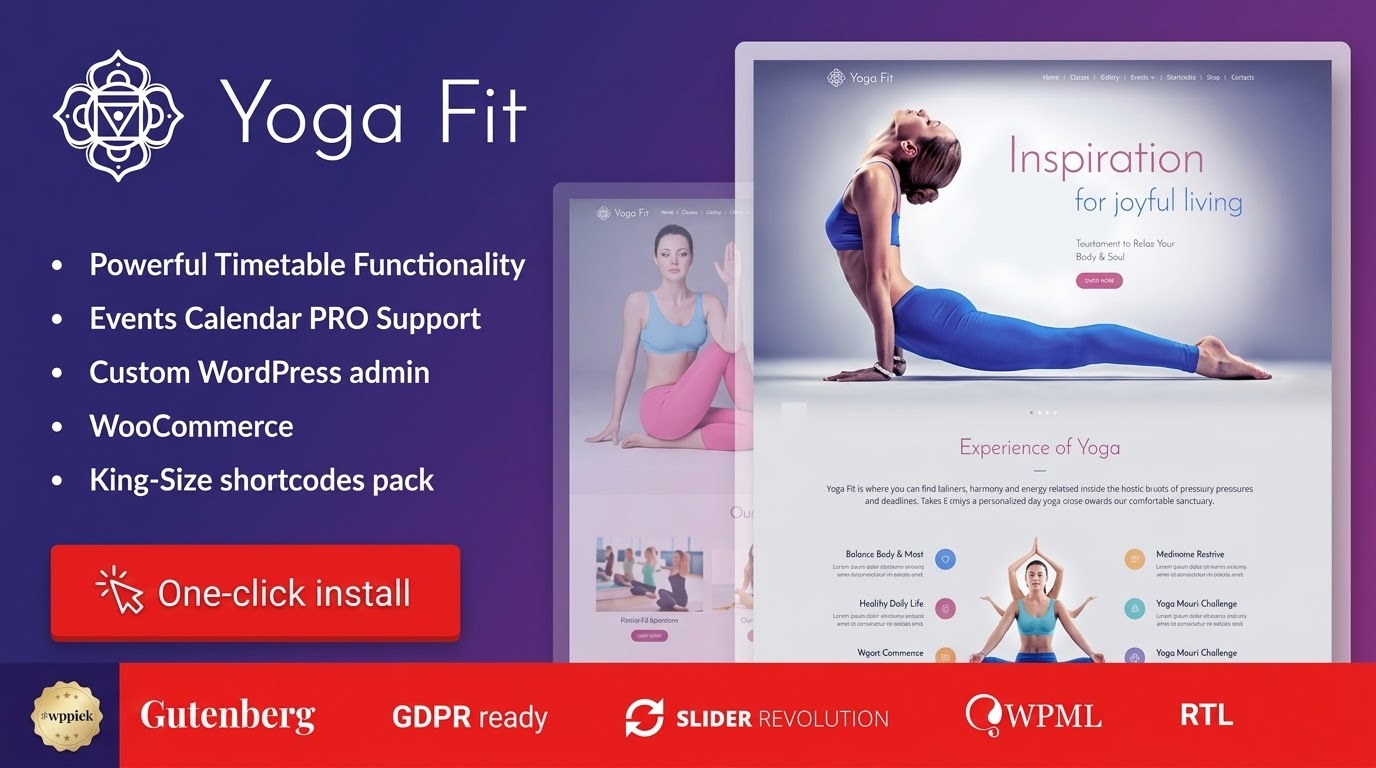
Are you a yoga instructor, fitness coach, or gym owner looking to build a professional, high-converting website without writing a single line of code? The Yoga Fit – Sports, Fitness & Gym WordPress Theme is a premium solution specifically designed to elevate your wellness business online. This comprehensive Yoga Fit WordPress theme review and setup guide will walk you through its features, installation, customization, and why it’s an excellent choice for creating a stunning online presence for your studio or practice.
Introduction: Your Digital Hub for Health and Wellness
Yoga Fit is more than just a WordPress theme; it’s a complete toolkit for yoga studios, fitness centers, gyms, personal trainers, and wellness professionals. Developed by cmsmasters, this theme focuses on empowering you to showcase classes, manage events, and attract new clients with an intuitive, visually appealing platform. Its design philosophy centers on flexibility and niche-specific functionality, ensuring your website not only looks professional but also meets the unique demands of the health and fitness industry.
Key Features: Design, Layout & Performance for a Winning Website
The Yoga Fit theme packs a powerful punch with features meticulously crafted for the fitness and wellness sector. It’s a robust fitness WordPress theme with class schedule functionality, ensuring your clients always have access to the latest information.
Design & Layout Options: Flexible and Visually Striking
Yoga Fit offers extensive design and layout options to help you create a unique online experience.
- Responsive and Retina-Ready Design: Your website will look impeccable on any device, from high-resolution retina displays to smartphones and tablets. This responsive Yoga WordPress theme guarantees an optimal viewing experience for all your clients, whether they’re checking class schedules on the go or browsing your services from a desktop.
- CMSMasters Visual Content Composer: At its core, Yoga Fit includes the proprietary CMSMasters Visual Content Composer plugin. This intuitive drag-and-drop interface, paired with over 99 custom shortcodes, allows you to build complex layouts and unique content sections without touching any code. Imagine crafting beautiful asana pose galleries or detailed fitness charts with ease.
- Flexible Layouts: The theme provides numerous layout options, allowing you to create custom page designs that stretch to any width, arrange content in multiple columns, and choose from various portfolio and blog layouts (grid, masonry, etc.).
Customization Capabilities: Brand Your Wellness Space
Branding is crucial, and Yoga Fit makes it simple to tailor your site to your unique identity.
- Unlimited Color Schemes: Gain complete control over your website’s aesthetics with unlimited color possibilities for navigation, backgrounds, and other elements, ensuring your site perfectly matches your brand’s palette.
- Google Fonts Integration: Access hundreds of Google Fonts to customize your typography, giving your site a professional and distinctive look.
- Custom Backgrounds: Personalize individual pages or the entire website with unique background images or patterns.
- Custom Form Builder: Create class registration forms, client intake surveys, or contact forms with the included custom form builder.
Performance & SEO Features: Built for Speed and Visibility
Yoga Fit is engineered with modern web standards to ensure your site performs well and ranks high.
- Valid HTML5 and CSS3 Coding: Built with clean, semantic code, the theme offers a solid foundation for performance and compatibility.
- SEO-Optimized Structure: An optimized structure helps search engines like Google understand your content, leading to better visibility and higher rankings.
- Fast Loading Performance: While specific metrics are not provided, the clean code and optimized structure contribute to a speedy user experience, which is vital for engaging visitors and improving SEO.
Installation & Demo Import: Get Started Quickly
Setting up your Yoga Fit WordPress theme is a straightforward process, even if you’re new to WordPress. The theme is designed for quick deployment, letting you focus on your content.
- Install & Activate the Theme:
- First, log in to your WordPress dashboard.
- Navigate to
Appearance > Themes > Add New > Upload Theme. - Choose the
yoga-fit.zipfile (the main theme file) from your download, then clickInstall NowandActivate.
- Install Required Companion Plugins:
- Upon activation, Yoga Fit will prompt you to install its recommended plugins, including the essential CMSMasters Visual Content Composer.
- It’s also fully compatible with The Events Calendar plugin (the PRO version is available separately for advanced features). For contact management and marketing, the HubSpot WordPress plugin is recommended. Ensure you install and activate these to unlock the theme’s full potential.
- Use the One-Click Demo Import:
- Yoga Fit features a convenient one-click demo import tool. This allows you to replicate the theme’s stunning demo content on your own site, providing a fantastic starting point.
- Look for a “Demo Import” or “Import Sample Data” option within the theme’s settings in your WordPress dashboard.
- What to Expect During/After Demo Import:
- During the import, the theme will populate your site with demo pages, posts, menus, widgets, and images. This process can take a few minutes, so be patient and avoid closing your browser.
- After the import, your site will resemble the Yoga Fit demo. You’ll then need to customize the content, images, and replace placeholder text with your own studio’s information. Remember to set your static homepage and blog page under
Settings > Reading. - Common Pitfall: For large demo imports, ensure your hosting environment has sufficient PHP memory limits and execution time. If the import fails, you might need to contact your host to increase these settings.
Customization Guide: Branding Your Yoga Studio Website Template
Personalizing your Yoga Fit website is intuitive, thanks to its powerful backend options and the Visual Content Composer. This theme offers extensive control, ensuring your site truly reflects your brand.
- Utilizing the Custom Admin Panel: Yoga Fit extends the standard WordPress admin functionality with its own custom Admin panel. This panel is where you’ll find a wide array of options and settings to control global styles, layouts, and theme-specific functionalities.
- Changing Colors, Fonts, and Logos:
- Within the custom Admin panel or WordPress Customizer, you’ll find dedicated sections to upload your logo, select your brand colors, and choose from hundreds of Google Fonts. These global settings allow you to apply your brand’s visual identity across the entire site instantly.
- Customizing Header and Footer Layouts:
- Yoga Fit includes a custom Mega Menu plugin to enhance your navigation. You can configure various header and footer styles through the theme options, arranging elements like social media icons, contact information, and secondary menus to suit your needs.
- Building Pages with the CMSMasters Visual Content Composer:
- This is where the Gym WordPress theme drag and drop builder truly shines. When editing any page or post, switch to the Visual Content Composer to drag and drop content blocks, add pre-designed shortcodes (for class timetables, asana galleries, trainer profiles), and visually arrange your content. It’s an easy-to-use interface that makes designing pages fun and efficient.
- Setting Up Custom Post Types:
- Yoga Fit comes with specialized custom post types for Projects (perhaps for special events or retreats) and Profiles (perfect for showcasing your trainers and their specialties). Additionally, you’ll find functionality for Class Schedules, Trainer Profiles, and Testimonials, making it easy to manage and display information relevant to your fitness business.
FAQ & Troubleshooting: Quick Answers for Common Questions
Here are some frequently asked questions about the Yoga Fit WordPress theme.
Is Yoga Fit compatible with Elementor, WPBakery, or Gutenberg?
Yoga Fit primarily relies on its custom CMSMasters Visual Content Composer plugin for drag-and-drop page building, not third-party page builders like Elementor or WPBakery. While it is “Gutenberg ready” and compatible with the native WordPress block editor, its core customization and specialized fitness content elements are best managed through its included visual composer.
Does Yoga Fit support WooCommerce for online stores?
Yes, Yoga Fit theme WooCommerce compatibility is fully integrated. This means you can easily set up an online store to sell yoga mats, fitness apparel, booking classes, or offer wellness products directly from your website.
Does Yoga Fit support child themes?
While not explicitly detailed in the provided content, it is standard practice for premium WordPress themes to support child themes. Using a child theme is highly recommended for any custom code or modifications, as it ensures your changes are not lost when the main theme is updated.
How can I update the Yoga Fit theme without losing my customizations?
To update the Yoga Fit theme safely, always use a child theme for any custom CSS, functions, or template modifications. For the theme itself, if purchased from ThemeForest, you can update it through the WordPress dashboard if you have connected your site with Envato Market plugin, or by manually downloading the latest version and replacing the theme files (after backing up your site). ZeroPlugin.com also offers regular updates for their GPL-licensed version.
What should I do if the demo import fails or looks different from the demo site?
If the demo import fails, check your server’s PHP memory limit and execution time. These often need to be increased to complete a large import successfully. If the imported content looks different, ensure all recommended plugins (especially the CMSMasters Visual Content Composer) are installed and activated, and that you have set your static homepage correctly under Settings > Reading. Sometimes, server configurations or conflicts with other plugins can also cause issues.
Conclusion: Your Ultimate Partner for a Professional Wellness Website
The Yoga Fit – Sports, Fitness & Gym WordPress Theme is an exceptional choice for anyone in the health, fitness, or wellness industry looking for a robust and visually appealing online presence. Its unique blend of a powerful proprietary drag-and-drop builder, extensive shortcode library, and specialized fitness-oriented features makes it stand out as a comprehensive solution for creating a yoga studio website template or a dynamic best gym website WordPress theme.With its deep customization options, seamless integration with crucial plugins like The Events Calendar and WooCommerce, and a focus on responsive, SEO-friendly design, Yoga Fit provides all the tools you need to attract new clients, manage your schedule, and grow your community. Whether you’re a seasoned studio owner or a budding instructor, Yoga Fit offers the flexibility, functionality, and professional polish to elevate your digital footprint. If you value a deeply integrated, niche-specific design experience and robust feature set over generic third-party page builders, Yoga Fit is undoubtedly a strong contender for your next WordPress project.
I. Download Limits & Account Benefits
- Free Downloads: Each email address receives 3 downloads per day for free products
- Upgrade Benefits: Purchase any paid product to increase your daily download limit by 3 for each paid product
- No Account Required: You can download immediately by receiving the download link via email
- Account Recommended: Create an account for easier access to your order history and direct update downloads
II. Understanding GPL vs Official Versions
Important: The products available on WPPick are GPL-licensed versions, which differ from official developer versions. Before purchasing, please read our comprehensive guide: Understanding GPL & Official Differences at WPPick
Key Points:
- GPL versions may not include premium support from original developers
- Updates may be delayed compared to official releases
- Some premium features might have limitations
- Always consider your specific needs and support requirements
III. Support & Assistance
We’re here to help through multiple channels:
- Email Support: Direct email assistance for all inquiries
- Live Chat: Real-time support during business hours
- Comprehensive Documentation: Detailed guides and tutorials
IV. Order Tracking
Access your complete purchase history and download links anytime: Order History
V. Account Access
New to WPPick? Login or Create Account to manage your downloads and orders efficiently.
VI. Refund Protection
We stand behind our products with a clear refund policy. Review our terms: Refund Policy
VII. Privacy & Security
Your data security is our priority. Learn how we protect your information: Privacy Policy
VII. Terms of Service
Understanding our service terms ensures a smooth experience: Terms of Use
Quick Tips for Best Experience
- Verify Compatibility: Check plugin/theme compatibility with your WordPress version
- Backup First: Always backup your site before installing new plugins or themes
- Test Environment: Consider testing on a staging site first
- Stay Updated: Regularly check for updates in your account dashboard
- Read Documentation: Review any included documentation for optimal setup
Need Help?
If you have questions about downloads, licensing, or need technical assistance, don’t hesitate to contact our support team. We’re committed to ensuring you have the best possible experience with WPPick products.
Ready to get started? Your download adventure begins with just one click!
- Updated demo content
- Updated plugins
- Applied a fix for the notice caused by the new WordPress version
- Updated WooCommerce templates
- Updated plugins