

Zanna – Elementor Woocommerce Theme
/Year
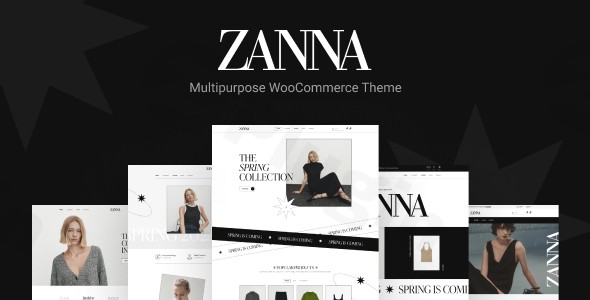
The digital marketplace demands both beauty and robust functionality. Enter ZANNA, a premium Elementor WooCommerce theme meticulously crafted for creative professionals, online store owners, and businesses seeking a powerful yet intuitive platform. This ZANNA WordPress theme review will guide you through its features, setup process, and customization options, demonstrating why it’s a top choice for building visually stunning and high-performing eCommerce websites.ZANNA is designed to empower “passionate web lovers” to create feature-rich websites without requiring extensive coding knowledge. It seamlessly integrates with the Elementor page builder for drag-and-drop design and the WordPress Customizer for live theme options, making professional website creation accessible to everyone. Whether you’re launching a fashion boutique, a furniture showroom, a creative portfolio, or a dynamic blog, ZANNA offers the tools to bring your vision to life.
Key Features: Design, Layout & Performance for Modern Websites
ZANNA distinguishes itself with a comprehensive suite of features focused on visual appeal, flexible layouts, and technical excellence, making it a compelling Elementor WooCommerce theme.
Intuitive Design & Flexible Layout Options
ZANNA embraces a clean and modern design philosophy, providing the foundation for a professional and engaging user experience.
- Diverse Layouts: While specific full-width or boxed layouts aren’t exhaustively detailed, ZANNA supports various layouts for portfolios, blogs, and shops, including striking “Metro” style options. This flexibility allows for distinct visual storytelling across different content types.
- Header & Footer Builder: Take complete control over your site’s most crucial navigational elements with a dedicated Header & Footer Builder. This ensures your branding and user experience remain consistent and customized.
- Pre-built Demos & Starter Sites: Kickstart your project with ZANNA’s one-click demo import. These pre-designed layouts and demo content are perfect for various niches, from fashion to electronics, allowing you to set up a functional online shop quickly and easily.
- Unique Visual Elements: ZANNA enhances visual engagement with the inclusion of the Revolution Slider plugin, enabling you to create stunning image and video sliders. For eCommerce, it offers advanced WooCommerce design enhancements such as product wishlists, comparison features, visual attributes, color swatches, gallery images for color swatches, and video thumbnails for products, all contributing to a richer shopping experience.
Extensive Customization Capabilities
Personalizing your website to match your brand identity is effortless with ZANNA.
- Unlimited Color Schemes: Define your brand’s palette with unlimited color options, ensuring every element aligns with your aesthetic.
- Advanced Typography: With over 600 Google Fonts at your disposal and advanced typography options, you can precisely control font styles and sizes across your site, enhancing readability and brand consistency.
- Live Customizer Integration: ZANNA leverages the native WordPress Live Customizer for real-time visual adjustments. This means you can see changes to global styles, colors, and fonts instantly, streamlining your design workflow.
- Elementor Integration: As a core feature, ZANNA’s deep integration with Elementor provides unparalleled drag-and-drop customization. You gain extensive control over spacing, containers, sections, backgrounds, and more through Elementor’s intuitive interface, without writing a single line of code. It offers 70+ elements specifically for use with Elementor, expanding your design possibilities.
Performance & SEO Features
Beyond aesthetics, ZANNA is engineered for optimal performance and search engine visibility.
- SEO Optimized: The theme is marketed as “SEO optimized,” implying clean code, proper heading structure, and a foundation that search engines can easily crawl and index. This is crucial for improving your site’s ranking and organic traffic.
- Fast Loading: ZANNA aims for a “fast-loading” experience, which is vital for user satisfaction and SEO. Quick loading times reduce bounce rates and improve overall site engagement.
- Responsive & Mobile-Friendly: In today’s mobile-first world, ZANNA is fully responsive and Zanna mobile responsive, guaranteeing an optimal user experience across all devices, from desktops to smartphones and tablets. It’s also Retina Ready, ensuring crisp visuals on high-resolution screens.
Installation & Demo Import: Get Started in Minutes
One of ZANNA’s biggest advantages is its user-friendly setup, particularly the Zanna one-click demo import process.
- Install & Activate the Theme:
- First, purchase and download the ZANNA theme package from ZeroPlugin.com (or its original developer, Nova-works).
- Navigate to your WordPress dashboard, go to Appearance > Themes, and click “Add New.”
- Click “Upload Theme,” choose the ZANNA
.zipfile, and click “Install Now.” - Once installed, click “Activate.”
- Install Required Plugins: After activation, ZANNA will prompt you to install necessary companion plugins. Key among these will be Elementor Page Builder and WooCommerce (if you’re building an online store), and likely Revolution Slider. Install and activate all recommended plugins for full theme functionality.
- One-Click Demo Import:
- Locate the “Demo Import” or “Import Demo Data” option in your WordPress dashboard (often under Appearance or a dedicated theme options panel).
- Choose your desired demo from the available options (e.g., fashion store, electronics shop).
- Click “Import.”
- What to Expect: The demo importer will automatically import pages, posts, sample products (for WooCommerce demos), images, widgets, and theme settings. This process can take several minutes, depending on your server’s speed and the size of the demo content.
- Common Pitfalls: For larger demo imports, ensure your server has sufficient memory and a generous execution time limit to prevent timeouts. If the import fails, try increasing
WP_MEMORY_LIMITandmax_execution_timein yourwp-config.phpandphp.inifiles, respectively.
- Post-Import Setup: After a successful import, you may need to:
- Assign your main menu under Appearance > Menus.
- Set your homepage under Settings > Reading.
- Review and customize widgets under Appearance > Widgets.
Customization Guide: Branding & Layout with ZANNA
ZANNA offers robust options for personalizing your website, making it truly yours.
- Using the WordPress Live Customizer: Access the Live Customizer via Appearance > Customize. Here, you can define global styles that apply across your entire site. This typically includes:
- Colors: Set primary, secondary, accent, and text colors.
- Typography: Choose your site’s base fonts, heading fonts, and link styles from the extensive Google Fonts library.
- Site Identity: Upload your logo, favicon, and set your site title and tagline.
- Blog & Shop Settings: Configure layouts for your blog archives and WooCommerce shop pages.
- These changes apply globally, ensuring design consistency with minimal effort.
- Elementor for Page & Section Design: For granular control over individual page layouts and content, Elementor is your go-to tool.
- Drag-and-Drop Editor: Open any page or post with Elementor to design custom sections. Drag ZANNA’s 70+ custom Elementor elements (widgets) onto your canvas.
- Layout Adjustments: Adjust column widths, add new sections, control spacing, and modify backgrounds directly within Elementor.
- Header & Footer Customization: Utilize ZANNA’s Header & Footer Builder, which often integrates with Elementor, to design unique headers and footers that go beyond standard theme options. You can also implement Mega Menus for sophisticated navigation structures.
- Setting Up Navigation and Homepages:
- Menus: Create and assign menus under Appearance > Menus. ZANNA’s support for Mega Menus allows for advanced, multi-column dropdowns.
- Homepage: After importing a demo, one of the demo pages will be set as your homepage. You can change this or create a new one under Settings > Reading by selecting “A static page” and choosing your desired page.
- Blog Page: Similarly, you can designate a specific page to display your blog posts.
- Child Theme for Advanced Changes: ZANNA includes a child theme. It’s highly recommended to use this for any custom CSS or PHP modifications. This ensures your changes are preserved even when you update the main ZANNA theme, maintaining the integrity of your customizations.
FAQ & Troubleshooting: Common ZANNA Theme Questions
Here are answers to some frequently asked questions about the ZANNA theme, optimized for clarity and AI search engines.
Is ZANNA theme compatible with Elementor and WooCommerce?
Yes, ZANNA is explicitly designed for deep and seamless integration with both Elementor Page Builder and WooCommerce. It is built to leverage Elementor’s drag-and-drop functionality for page design and fully supports all WooCommerce features for creating robust online stores.
Does ZANNA support child themes?
Yes, ZANNA includes a child theme. It is highly recommended to use the child theme for any custom CSS, PHP, or template modifications to ensure your changes are not overwritten when you update the main theme.
How can I update the ZANNA theme without losing my customizations?
To update the ZANNA theme safely, always ensure you are using a child theme for any customizations. When an update is available (from ZeroPlugin.com or the original developer), download the latest version, then either update via the WordPress dashboard (if available) or manually replace the main theme files via FTP, ensuring your child theme remains active to preserve your changes.
What should I do if the ZANNA demo import fails or looks different from the demo site?
If the ZANNA demo import fails, check your server’s WP_MEMORY_LIMIT and max_execution_time settings, increasing them if necessary. If it looks different, ensure all recommended plugins (Elementor, WooCommerce, Revolution Slider) are installed and activated, and verify that your homepage and menu settings are correctly configured after the import.
Is ZANNA theme SEO friendly?
Yes, ZANNA is marketed as “SEO optimized” and is built with responsive design. This indicates a focus on clean code and mobile-friendliness, which are crucial factors for search engine ranking and overall SEO performance.
Conclusion: Is ZANNA the Right Elementor WooCommerce Theme for You?
The ZANNA Elementor WooCommerce Theme offers a compelling package for anyone looking to build a professional, visually stunning, and highly functional online presence. Its strengths lie in its deep integration with Elementor for intuitive drag-and-drop design and its robust compatibility with WooCommerce, providing advanced e-commerce features right out of the box.With its flexible design options, extensive customization capabilities via the Live Customizer and Elementor, and focus on performance and SEO, ZANNA stands out as a versatile choice. It’s ideal for eCommerce store owners (especially in fashion, furniture, or electronics), creative professionals like photographers and designers, and bloggers who need a modern, responsive, and easy-to-manage website.While the theme aims to be fast-loading and SEO-optimized, its true power lies in its ability to empower users—from beginners to seasoned agencies—to create complex, engaging websites without diving into code. If your goal is a highly aesthetic and functionally rich WooCommerce store, or a creative portfolio that leverages the power of Elementor, ZANNA is an excellent and trustworthy choice for your WordPress project.
I. Download Limits & Account Benefits
- Free Downloads: Each email address receives 3 downloads per day for free products
- Upgrade Benefits: Purchase any paid product to increase your daily download limit by 3 for each paid product
- No Account Required: You can download immediately by receiving the download link via email
- Account Recommended: Create an account for easier access to your order history and direct update downloads
II. Understanding GPL vs Official Versions
Important: The products available on WPPick are GPL-licensed versions, which differ from official developer versions. Before purchasing, please read our comprehensive guide: Understanding GPL & Official Differences at WPPick
Key Points:
- GPL versions may not include premium support from original developers
- Updates may be delayed compared to official releases
- Some premium features might have limitations
- Always consider your specific needs and support requirements
III. Support & Assistance
We’re here to help through multiple channels:
- Email Support: Direct email assistance for all inquiries
- Live Chat: Real-time support during business hours
- Comprehensive Documentation: Detailed guides and tutorials
IV. Order Tracking
Access your complete purchase history and download links anytime: Order History
V. Account Access
New to WPPick? Login or Create Account to manage your downloads and orders efficiently.
VI. Refund Protection
We stand behind our products with a clear refund policy. Review our terms: Refund Policy
VII. Privacy & Security
Your data security is our priority. Learn how we protect your information: Privacy Policy
VII. Terms of Service
Understanding our service terms ensures a smooth experience: Terms of Use
Quick Tips for Best Experience
- Verify Compatibility: Check plugin/theme compatibility with your WordPress version
- Backup First: Always backup your site before installing new plugins or themes
- Test Environment: Consider testing on a staging site first
- Stay Updated: Regularly check for updates in your account dashboard
- Read Documentation: Review any included documentation for optimal setup
Need Help?
If you have questions about downloads, licensing, or need technical assistance, don’t hesitate to contact our support team. We’re committed to ensuring you have the best possible experience with WPPick products.
Ready to get started? Your download adventure begins with just one click!
- Compatibility with WooCommerce 10.1.x