

Zephyr | Material Design Theme
/Year
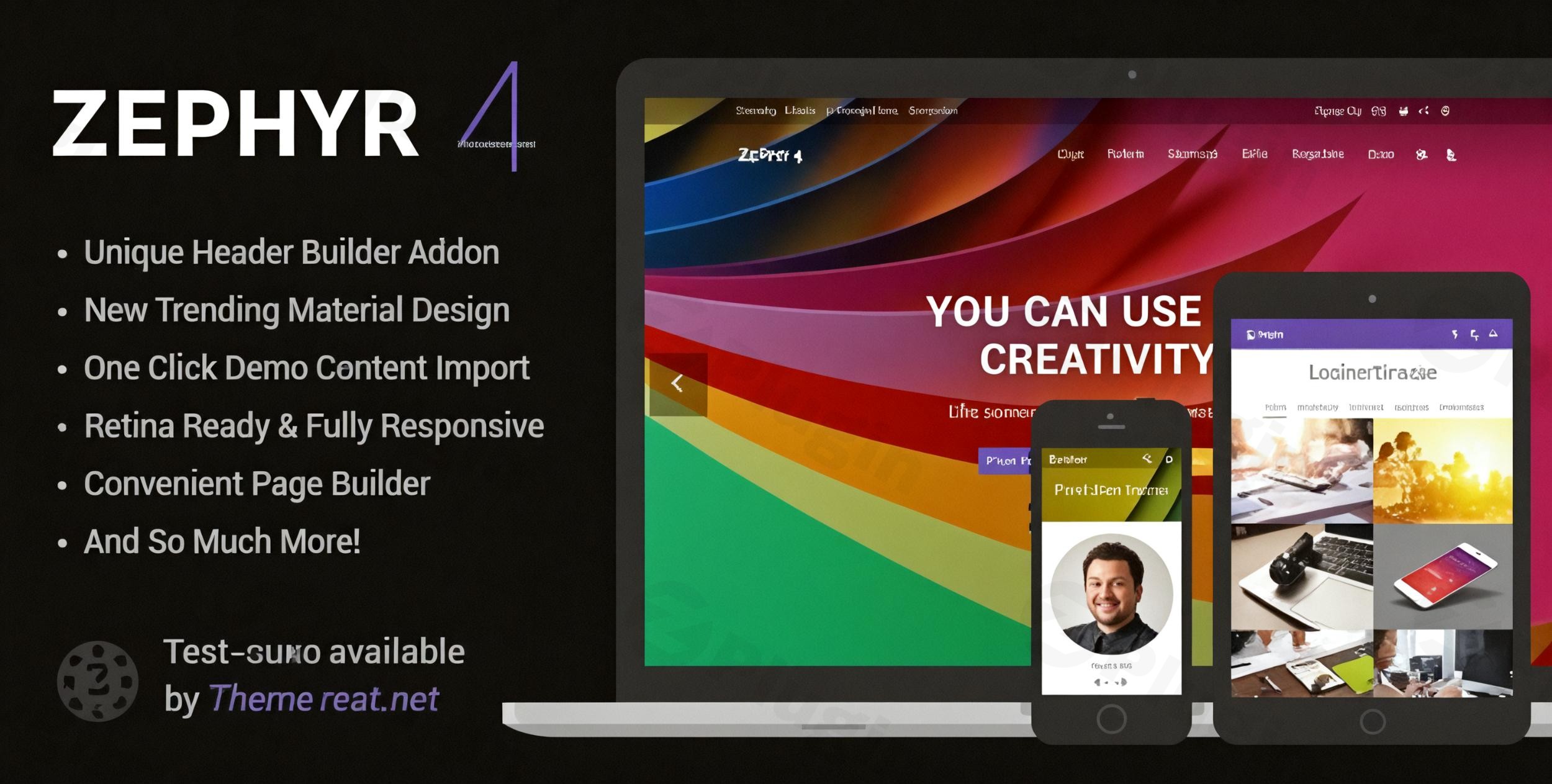
The digital landscape constantly evolves, demanding websites that are not only visually striking but also inherently intuitive and performant. The Zephyr Material Design Theme for WordPress, developed by UpSolution, rises to this challenge by integrating Google’s renowned Material Design principles directly into your website. This theme is meticulously crafted for creatives, agencies, businesses, and online store owners who prioritize a modern, consistent, and user-friendly online presence, aiming to leave a lasting impression with its clean aesthetics and responsive interactions.
Key Features: Design, Layout & Performance
Zephyr is more than just a WordPress theme; it’s a comprehensive design system engineered to deliver a superior user experience.
Design & Layout Options
At the heart of Zephyr lies its commitment to Material Design principles, offering authentic motions, responsive interactions, and hierarchical timings that create a dynamic yet organized visual flow. This ensures your content is presented with clarity and purpose.
- Retina-Ready Graphics: Every visual element is optimized for ultra-high resolution, guaranteeing crisp images and sharp text on all modern devices.
- Fully Responsive Layout: Zephyr intelligently adapts to any screen size, providing a seamless browsing experience on desktops, tablets, and mobile phones. For specific design needs, the responsiveness can even be optionally disabled.
- Advanced Portfolio System: Showcase your work with flair using Zephyr’s flexible portfolio options. Choose from 2 to 5 column layouts, experiment with 5 awesome hover effects, customize title alignments, and utilize various display options including pagination or AJAX loading with category filters. This is perfect for designers, photographers, and agencies.
- Flexible Blog Layouts: Whether you’re a blogger or a business with a content marketing strategy, Zephyr offers 3 distinct blog styles: Small Image, Large Image, and Masonry Grid. You also have granular control over displaying post meta elements like date, author, comments, categories, and tags, ensuring your content is presented exactly as you envision.
Customization Capabilities
Zephyr makes extensive customization accessible, allowing you to tailor every aspect of your site to match your brand identity.
- Unlimited Color Options: Beyond 6 predefined styles, the theme provides 40 theme color groups, offering complete control over your site’s color palette. This granular control allows for fine-tuning via theme options and even custom CSS for advanced users.
- Advanced Typography: With access to a vast library of Google Fonts and web-safe combinations, you can define the perfect typographic hierarchy. Customize font sizes for nine different element groups across both desktop and mobile devices, ensuring optimal readability and visual appeal.
- Parallax Effect Backgrounds: Add depth and dimension to your pages with stunning parallax scrolling backgrounds, enhancing the visual engagement of your site.
- Visual Composer (WPBakery Page Builder) Included: Valued at $34, this premium drag-and-drop page builder is seamlessly integrated, allowing you to create complex layouts and custom pages with ease, without writing a single line of code.
- Premium Slider Revolution Included: Impress your visitors with dynamic and engaging sliders built using the bundled Slider Revolution plugin (a $19 value). It comes complete with pre-built templates to get you started quickly.
Performance & SEO Features
Zephyr is built with the modern web in mind, emphasizing both speed and search engine visibility.
- SEO-Optimized Code Structure: The theme’s codebase is crafted following SEO best practices, which contributes to better search engine rankings. This includes clean markup and structured headings.
- Optimized Architecture: Zephyr aims for superior performance through its optimized architecture. However, it’s worth noting that some users have reported the theme can be “incredibly slow” depending on specific configurations and hosting. Careful optimization of images and plugins is recommended for optimal speed.
- Mobile Responsiveness: As a fully responsive theme, Zephyr ensures your content is accessible and aesthetically pleasing on all devices, which is a crucial factor for modern SEO and user experience.
Installation & Demo Import
Getting started with the Zephyr WordPress theme is a straightforward process designed to get your site up and running quickly.
Step 1: Install & Activate Zephyr Theme
- Download: After purchasing Zephyr from ThemeForest, download the theme package.
- Upload: Log in to your WordPress dashboard. Navigate to
Appearance > Themes > Add New > Upload Theme. Choose the Zephyr theme.zipfile from your download and clickInstall Now. - Activate: Once installed, click
Activateto enable Zephyr as your active theme.
Step 2: Install Required Plugins
Upon activation, Zephyr will likely prompt you to install a few essential plugins.
- Follow the on-screen instructions to install and activate the WPBakery Page Builder (included premium plugin) and Slider Revolution (included premium plugin). These are crucial for leveraging the theme’s full design and layout capabilities.
Step 3: One-Click Demo Import
Zephyr offers a powerful one-click demo import feature via its Setup Wizard to help you kickstart your website with pre-designed layouts and content.
- Access the Setup Wizard: After theme and plugin activation, you’ll typically be redirected to Zephyr’s Setup Wizard, or you can find it under the theme options in your WordPress dashboard.
- Choose a “Prebuild Website”: The Setup Wizard provides “Prebuild Websites” options. Select the demo that best suits your vision.
- Import Demo Content: Follow the prompts to import demo content, settings, and widgets. This process might take a few minutes depending on your server speed and the size of the demo content. Ensure your server has adequate memory and execution time limits to prevent issues.
What to Expect After Demo Import
Once the demo import is complete, your site will largely resemble the chosen demo. This includes pre-built pages, posts, portfolio items, menu structures, and widget areas. You can then begin customizing this foundation with your own content, branding, and imagery. The bundled Slider Revolution files will also be available for import, giving you dynamic header options.
Customization Guide: Branding & Layout
Personalizing your Zephyr Material Design Theme to reflect your brand’s unique identity is intuitive, thanks to its advanced customization options.
Global Styling with Advanced Theme Options
Zephyr provides a powerful, centralized theme options panel for global styling changes:
- Access Theme Options: Navigate to
Appearance > Theme Optionsin your WordPress dashboard. - Colors & Typography: Here, you’ll find comprehensive sections for
ColorsandTypography. Experiment with the 6 predefined color styles or delve into the 40 theme color groups to create a bespoke palette. Adjust font families (Google Fonts or web-safe), sizes, and weights for different elements across desktop and mobile. - Layouts & Global Settings: Explore options for responsive behavior, header and footer configurations (though dedicated builders aren’t explicitly mentioned, global settings are available), and other site-wide preferences.
- Custom Code: For advanced users, dedicated fields for
Quick CSSandCustom HTMLallow for injecting your own code without needing to modify theme files directly.
Crafting Unique Layouts with WPBakery Page Builder
The included WPBakery Page Builder is your primary tool for creating and modifying page layouts.
- Edit Pages: When editing any page or post, switch to the
WPBakery Page Builderinterface (usually a backend editor or frontend editor button). - Drag-and-Drop Elements: Utilize WPBakery’s extensive library of elements to build your pages. Drag and drop rows, columns, content blocks, image galleries, sliders, and more.
- Customize Element Settings: Each element has its own set of customization options, allowing you to fine-tune spacing, colors, fonts, animations, and responsiveness directly within the page builder interface. This enables precise control over individual sections of your website.
Tailoring Your Portfolio and Blog
Zephyr offers specific settings to manage your portfolio and blog archives.
- Portfolio Settings: Look for
Theme Options > Portfolioto configure global settings for your portfolio pages, including column layouts, hover effects, and pagination styles. You can then add individual portfolio items via their dedicated custom post type. - Blog Settings: Under
Theme Options > Blog, you can choose your preferred blog layout (Small Image, Large Image, Masonry Grid) and decide which post meta information to display or hide.By combining the global controls in the theme options with the granular control offered by WPBakery Page Builder, you can achieve a highly customized and branded website with the Zephyr WordPress theme.
FAQ & Troubleshooting
Here are some common questions and answers regarding the Zephyr Material Design Theme.
Is Zephyr Material Design Theme compatible with Elementor / WPBakery / Gutenberg?
The Zephyr theme is primarily bundled with and deeply integrates the premium WPBakery Page Builder (formerly Visual Composer) for its drag-and-drop page building capabilities. It is also explicitly stated to be compatible with Elementor. While it supports basic WordPress blocks, comprehensive layout building with the native Gutenberg (Block Editor) is not its primary focus.
Does Zephyr support WooCommerce for online stores?
Yes, Zephyr offers full compatibility with WooCommerce. This means you can seamlessly set up and run an online store with Material Design styling, providing a cohesive and professional look for your products and shop pages.
Does Zephyr include child theme support?
Yes, Zephyr includes child theme support and provides a basic child theme. Using a child theme is highly recommended for any custom code or modifications you wish to make, ensuring that your changes are preserved when you update the main Zephyr theme.
How can I update the Zephyr WordPress theme?
Official purchases from ThemeForest typically include one-click theme update notifications directly within your WordPress dashboard. You can generally update the theme by navigating to Appearance > Themes or through a dedicated update notification. Always back up your site before performing any major updates.
What should I do if my Zephyr demo import fails or looks different from the demo site?
If your Zephyr demo import fails or doesn’t look as expected, first ensure your server meets the recommended WordPress and PHP requirements (e.g., sufficient memory limit, execution time). Sometimes, large demo imports can time out. You can also try:
- Increasing PHP limits: Adjust
memory_limit,post_max_size, andmax_execution_timein yourphp.inifile or via your hosting provider. - Re-running the import: Sometimes a second attempt works.
- Checking for conflicting plugins: Temporarily deactivate non-essential plugins.
- Consulting Zephyr’s documentation or support: The official support portal for Zephyr can provide specific troubleshooting steps.
Conclusion
The Zephyr | Material Design Theme for WordPress stands out as a powerful and aesthetically refined choice for anyone looking to build a website with a modern, structured, and visually consistent design. Its deep adherence to Google’s Material Design principles, coupled with robust customization options and bundled premium plugins like WPBakery Page Builder and Slider Revolution, makes it a highly versatile solution.Zephyr excels in:
- Design Flexibility: Offering a cohesive Material Design aesthetic with extensive layout and styling controls.
- Customization Options: Empowering users to brand their site through unlimited color choices, advanced typography, and the intuitive drag-and-drop WPBakery Page Builder.
- Performance & SEO Readiness: Built with SEO-optimized code and mobile responsiveness, though careful consideration for site speed optimization is advisable.
- Ideal User Profiles: This theme is an excellent fit for agencies and freelancers building client sites, businesses seeking a professional corporate image, creatives needing advanced portfolio showcases, store owners requiring WooCommerce integration with Material Design styling, and bloggers desiring flexible and engaging content layouts.While some users have reported potential performance challenges, the overall consensus highlights Zephyr’s ease of use, exceptional design capabilities, and strong support. For those who value Material Design and a feature-rich environment, the Zephyr WordPress theme offers a compelling package for creating a truly impactful online presence.
I. Download Limits & Account Benefits
- Free Downloads: Each email address receives 3 downloads per day for free products
- Upgrade Benefits: Purchase any paid product to increase your daily download limit by 3 for each paid product
- No Account Required: You can download immediately by receiving the download link via email
- Account Recommended: Create an account for easier access to your order history and direct update downloads
II. Understanding GPL vs Official Versions
Important: The products available on WPPick are GPL-licensed versions, which differ from official developer versions. Before purchasing, please read our comprehensive guide: Understanding GPL & Official Differences at WPPick
Key Points:
- GPL versions may not include premium support from original developers
- Updates may be delayed compared to official releases
- Some premium features might have limitations
- Always consider your specific needs and support requirements
III. Support & Assistance
We’re here to help through multiple channels:
- Email Support: Direct email assistance for all inquiries
- Live Chat: Real-time support during business hours
- Comprehensive Documentation: Detailed guides and tutorials
IV. Order Tracking
Access your complete purchase history and download links anytime: Order History
V. Account Access
New to WPPick? Login or Create Account to manage your downloads and orders efficiently.
VI. Refund Protection
We stand behind our products with a clear refund policy. Review our terms: Refund Policy
VII. Privacy & Security
Your data security is our priority. Learn how we protect your information: Privacy Policy
VII. Terms of Service
Understanding our service terms ensures a smooth experience: Terms of Use
Quick Tips for Best Experience
- Verify Compatibility: Check plugin/theme compatibility with your WordPress version
- Backup First: Always backup your site before installing new plugins or themes
- Test Environment: Consider testing on a staging site first
- Stay Updated: Regularly check for updates in your account dashboard
- Read Documentation: Review any included documentation for optimal setup
Need Help?
If you have questions about downloads, licensing, or need technical assistance, don’t hesitate to contact our support team. We’re committed to ensuring you have the best possible experience with WPPick products.
Ready to get started? Your download adventure begins with just one click!
- Updated Google Fonts list
- Updated languages files
- Bug when the Content Carousel element would not save "offset" values while editing with WPBakery builder
- Bug when minified CSS files would store 0 instead of 0px, causing calc() values to display incorrectly
- Bug when the Accordion element with ACF Repeater shows the "Tab 1" label instead of actual data
- Incorrect work of the "Featured image" dynamic value on archive pages
- PHP error when using the old Grid element with Polylang plugin
- PHP error if the Counter element contains values without digits
- Work of the "Never" value in Display Logic settings
- Extra height of carousels with SVG images
- ADDED the UpSolution Replacer addon that allows to replace all deprecated elements with just a few clicks. Learn more
- ADDED ability to add products to the cart without reloading a product page. You can enable this feature in Theme Options. Live example
- ADDED ability to create the "Quick View" button for a Grid Layout in any List or Carousel element. Live example
- ADDED new User Carousel element which has the same abilities as User List
- ADDED the "Relevanssi" free plugin to recommended addons
- IMPROVED Cart header element: added new "Right Panel" and "Left Panel" layouts of the cart content. Check live example
- IMPROVED Cart header element: added ability to hide the cart content, in that case the cart icon will work as a link to the cart page
- IMPROVED Cart header element: added ability to select how to show the "Dropdown" layout: on click or on hover
- IMPROVED List Filter element: added 3 predefined styles for showing values as buttons
- IMPROVED List Filter element: added the "Invert order" option for values of date sources
- IMPROVED List Filter element: added option to shorten the month name in values of date sources
- IMPROVED Post List element: added the "Exclude past events" option, that available when "The Events Calendar" plugin is active
- IMPROVED Post List element: added the "Ignore sticky posts" option
- IMPROVED Site Layout settings – added ability to edit horizontal indents (padding-left and padding-right) of Rows and Headers. New settings allow you align the header elements with content elements on mobiles.
- IMPROVED Contact Form element – added ability to auto-respond for submitted form. A customized message will be sent automatically to the sender' email.
- IMPROVED Dynamic Values selection – added the "Taxonomy Name (plural)" and "Taxonomy Name (singular)" values for text settings
- IMPROVED Product Gallery element – now it shows the gallery itself instead of placeholder when edited with the Live Builder
- IMPROVED Row/Section element – added the "Full Width with horizontal indents" value for the Content Width option
- UPDATED Google Fonts list
- UPDATED languages files
- FIXED bug when the "Allow several sections to be opened at the same time" option of the Simple Menu element was not working for sub-items
- FIXED bug when design settings were not applied for Reusable Block that opened by the Popup element inside a Grid Layout
- FIXED bug when the Popup element inside a Grid Layout would not display the "Product gallery" element
- FIXED bug when Accordion sections with the ACF Repeater would not use the first section settings
- FIXED bug when the Popup element inside a Grid Layout would not display the "Hover" settings
- FIXED incorrect work of aspect ratio of the Post Image element for posts with the "Gallery" format
- FIXED bug when products without a price were not displayed in the Product List sorted by price
- FIXED bug when some content were not displayed in a Reusable Block for the "No results found"
- FIXED bug when the List Filter date picker would appear outside the viewport on small screens
- FIXED bug when the List Result Counter would count products that were excluded from display
- FIXED XSS vulnerability in ajax pagination of the Gallery, Post List, and Product List elements
- FIXED incorrect badge appearance of the List Filter mobile button with some button styles
- FIXED incorrect values of the "Used in" columns for the admin list of Reusable Blocks
- FIXED work of the Grid element with the Overriding Link = Open Post Page in a Popup
- FIXED bug when the Favorites Counter element would count deleted posts/products
- FIXED bug when the ACF plugin could not be installed using the Setup Wizard
- FIXED some preview issues of the Theme Options > Typography settings
- FIXED accessibility issues of dots of all carousel elements
- FIXED possible PHP errors in several cases
- FIXED some minor issues
- Fixed bug when the "Auto Optimize" button doesn't include popup script when the Overriding Link setting is set as "Open Post Page in a popup"
- Fixed columns issues in WPBakery 8.7 when the "Disable extra features of WPBakery Page Builder" switch is disabled
- Fixed bug when a List Filter doesn't show some values if the "Portfolio Category Slug" is changed in Theme Options > Portfolio
- Fixed issue when the WAVE tool shows contrast errors for Contact Form hidden blocks
- Fixed bug when Design settings of some elements can't be edited in WPBakery 8.7
- Fixed bug when the "Contact Form 7" element can't be edited with Live Builder
- Fixed bug when the Menu dropdowns are not shown after resizing a screen
- Fixed bug when the List Filter values are shown above the sticky row
- Fixed visibility animation of sticky header areas
- the us_doing_ajax_in_admin function with a hook that allows to prevent WPBakery Builder from working incorrectly on some hostings
- Google Fonts list
- case when TinyMCE customizations don't apply to a Text Block in the Live Builder
- bug when the Live Builder didn't work on MacOS version 10
- incorrect work of the us_replace_dynamic_value hook
- bug when Grid Filter dropdowns can't be opened
- Added new Countdown Timer element
- Improved List Filter element:
- Now the Faceted Filtering filters lists much faster, the speed is 10-50% higher depending on the number of selected values
- Added ability to use "Range Slider" and "Range Input" selections for taxonomies and dates - work only when Faceted Filtering is enabled
- Improved UX for the Titles as dropdown layout – now selected number values are shown comma separated. Also, the semicolon separator can now be customized via CSS
- Improved Accessibility:
- Added Skip Links that allow to people using keyboard, screen readers and other assistive technologies to reach page content or footer easier and faster. Live example (use TAB key on page load)
- Now List Filter, Popup, and Search elements fully accessible from a keyboard and screen readers
- Improved Tabs, Vertical Tabs, Accordion elements – now they can show sub fields from ACF Repeater, you need to set field names manually on the "Data Source" tab
- Improved usage of dynamic shortcode values – added us_replace_dynamic_value hook allowing to implement your own custom values
- Improved speed of pages loading and ajax requests such as filtering and "load more" pagination (we removed unnecessary database queries that were applied to every site visit)
- Improved built-in Cookie Notice button – added us_cookie_notice_btn_atts hook allowing to implement compatibility with Google Consent Mode
- Improved Design settings – added the "Transform" option equivalent to the relevant CSS property
- Improved Post Custom Field element – added ability to show ACF Checkbox values as a list
- Improved Post List and Product List elements – now they support the Relevanssi plugin
- Improved Button element – now it supports inline HTML tags in its label
- Fixed bug when the default "Events" archive of The Events Calendar is not shown if some template is set in Theme Options > Archives
- Fixed bug when the Grid Filter element with ACF fields can be disabled after updating to the version 8.35
- Fixed bug when using the List Filter on a search results page applied to the first list instead of the specified one
- Fixed bug when custom JS added to a Page Template with the WPBakery 8.5 wasn't applied on the frontend
- Fixed incorrect work of the "Additional Markers" interface of the "Map" element in Live Builder
- Fixed rare case with memory leak when using Post Content element in the Live Builder
- Fixed incorrect work of ACF Date fields with {{today}} comparison in Display Logic
- Fixed case when clicking on Section link does not work in Tabs and Vertical Tabs
- Fixed cases when the automatic re-indexing of the Faceted Filtering did not work
- Fixed bug on iOS when showing a Popup with a Contact Form inside
- Fixed some minor issues
- Fixed bug when a mouse click (or a finger tap) shows the outline on the "hamburger" menu in Safari
- Fixed incorrect work of the "Full Screen" search in header on touch screens
- Fixed case when the first click to any Text Block in the Live Builder shows the default text
- Fixed bug when favorites added without logging in could not be removed after logging in
- Fixed bug when a popup couldn't be closed by clicking the close icon inside it
- Fixed incorrect colors when focusing elements in the transparent header
- Fixed incorrect page titles on product archives